
The use of artificial intelligence (AI) presents many opportunities for digital marketing professionals. But is it all down to the industry giants of ChatGPT and Bing Chat, or are there other tools to make use of? In this article, I will tell you how artificial intelligence can help SEO specialists complete tasks and the best tools to use (hint: it’s not just ChatGPT!). I will also discuss using AI to generate images on demand.
What tasks is AI already solving in SEO?
AI is being actively used in SEO, as it saves time for marketing experts and reduces costs for businesses. So how exactly should SEO specialists use AI?
Writing unique texts
You can use text generators if the project does not have the budget to write texts for the website outreach, blog, category, and product pages. For example, ChatGPT. This is especially relevant for startups or projects with a limited budget. However, AI-generated text can be ambiguous or have strange speech patterns. You still have to spend time editing such content before publishing it. Also, do not forget that AI text editors can make mistakes.
Adding meta tags
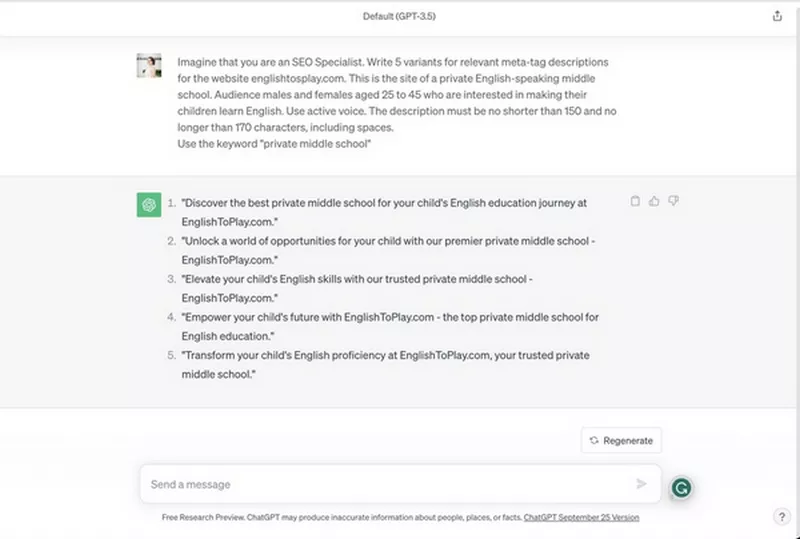
ChatGPT is unlikely to give you perfect meta tags from scratch, even if you include keywords and a maximum number of characters in your prompt – the system mostly ignores the latter. However, using AI can help you get inspired to create eye-catching meta tags and solve the problem of translating them into other languages.
Quick text translation
When using AI to translate texts, you will get fast results. It is especially useful for large volumes of texts or translations into rare languages.
Text check
You can use AI to check the text for spelling, basic punctuation, or other types of errors. You can also ask AI to edit the text stylistically, for example, to rewrite the text in an official style.
Finding topics for articles
If you are looking for inspiration, AI can help you find new topics for outreach or blog articles. The downside is AI recommendations are not up to date. As large language models often have limited access to the global network and the latest news, they work well for evergreen topics but usually do a poor job of suggesting hot or recently popular topics.
Generating tech SEO elements
AI can help solve everyday tasks in Technical SEO, such as using regular expressions, simple scripts, schema markup, and code elements (e.g., adding a code block with region). However, it is important to check the generated elements independently before adding them to the website code.
Creating catchy headlines
An eye-catching headline is known to attract visitors to your content, but what if you can’t think of anything witty and memorable? Use AI to suggest a few headline options and get inspired. The downside is that AI-generated headlines can get repetitive.
Finding keyword synonyms
If you’re looking for ways to expand a keyword list, you can use AI to find synonyms and variations for keywords.
This list of AI capabilities for website optimization is not exhaustive. There are many standalone programs that can help with more specific tasks, such as transcribing audio and video recordings, generating images and infographics, and extracting text.
AI tools for SEO: how to choose?
While Della and ChatGPT are some of the most commonly used AI language tools, there are also many other programs you can use. Let’s take a look at some of them.
Grammarly AI
Many people are familiar with Grammarly, a program created by a unicorn company with Ukrainian roots. It edits English text and corrects punctuation, syntax, and spelling errors. However, not many people know that a beta version of GrammarlyGO AI is already available. It offers a variety of features for creating English texts and titles, and it is available in both free and premium versions.
Grammarly AI features
To customize your text, you can choose from several options in GrammarlyGO’s settings menu:
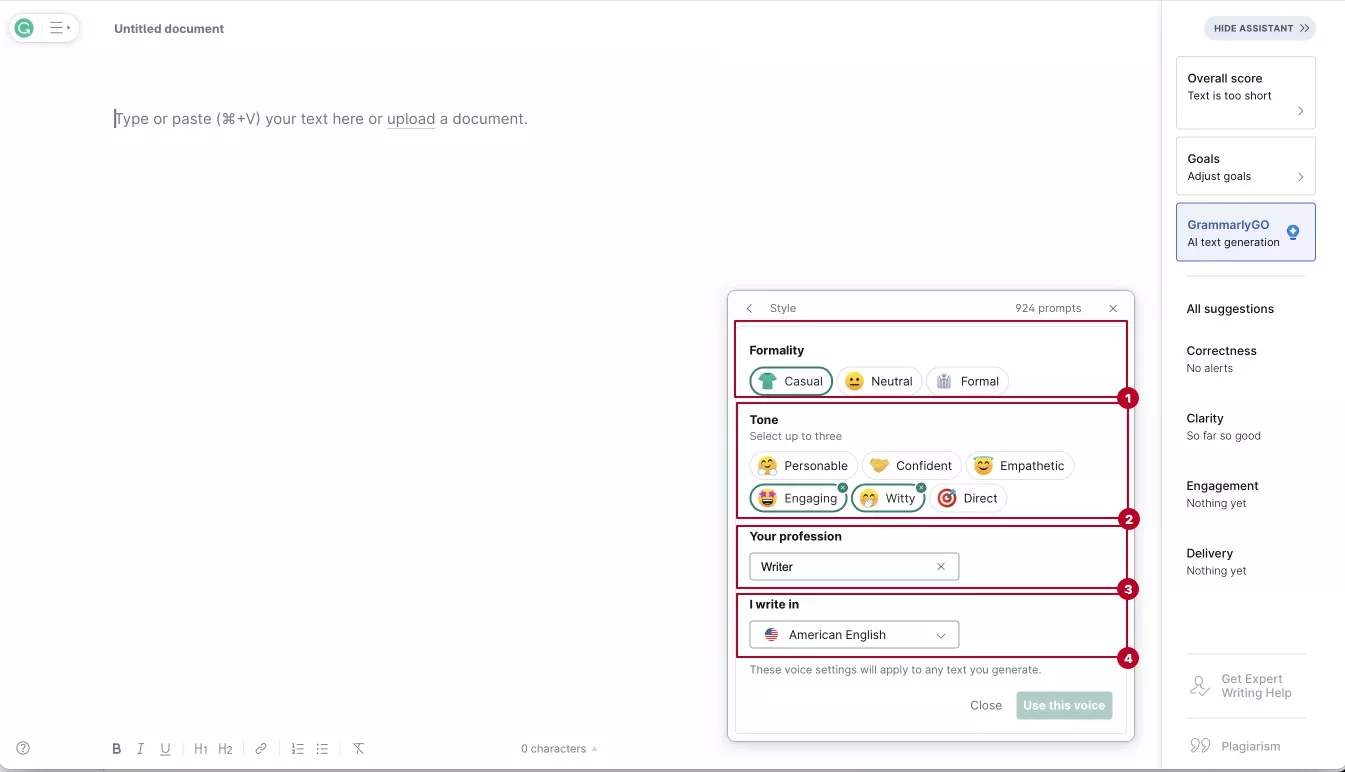
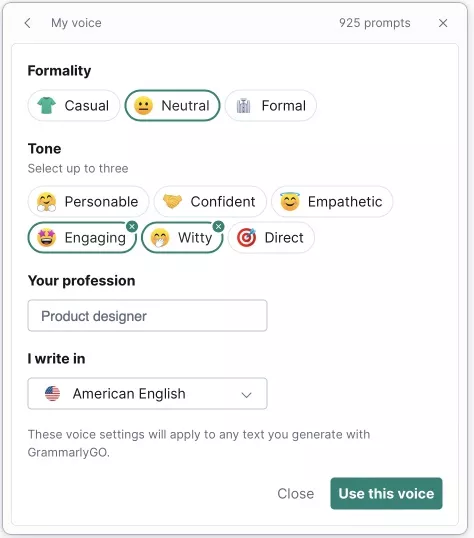
- Formality of the text: casual, neutral, formal.
- Tone of the text: you can choose up to three items from the list, including personable, confident, direct, empathetic, witty, and engaging.
- Profession: product designer, engineer, HR specialist, marketing specialist, business owner or manager, IT specialist, sales specialist, designer, businessman, legal specialist, writer, student, medical professional, recruiter, CEO, or other.
- Language dialect: British English, American English, Canadian English, and Indian English.
Although the general functionality of GrammarlyGO is available to all users, the number of prompts provided in the paid and free plans is different. The premium version offers 1,000 prompts that can be used in 26 days, while the free version offers 100 prompts in 30 days.
Types of prompts in GrammarlyGO
According to the Grammarly blog, their artificial intelligence can handle three types of prompts:
1. Custom prompts. You can enter any prompt of any structure that would be useful when writing texts. The official blog suggests using this template:
Write a [composition type] for [audience] that [purpose]. Make it [tone] and [length].
That is, you should determine the audience, the purpose of writing the text, its tone, type, and length. This will help you get a text that clearly meets your needs.
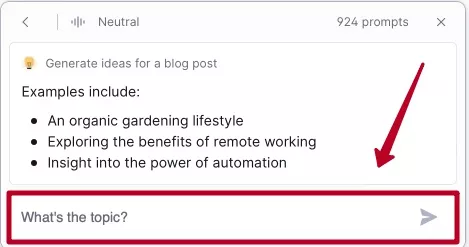
2. Suggested prompts. You can use GrammarlyGO’s suggestions in the Ideas for you box.
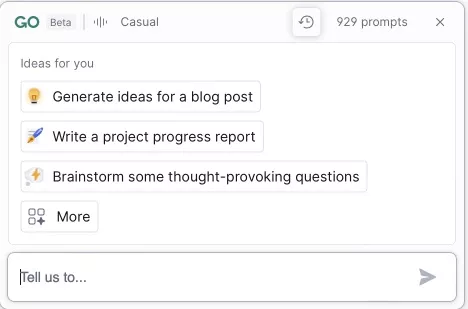
Once you click on the idea options, the app will prompt you to create a topic.
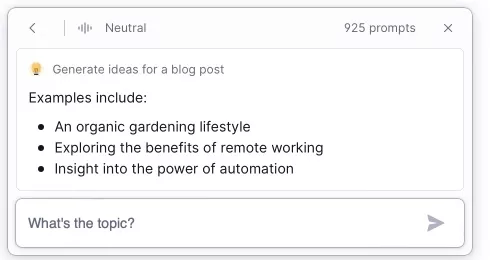
The text generated by GrammarlyGO can be useful in a variety of situations. For SEO specialists, the most useful features are the blog functions:
- generate ideas for a blog post;
- offer helpful tips and advice;
- write a marketing proposal;
- tell a story.
The following prompts are useful for communicating with clients and webmasters:
- write a project progress report;
- respond to a customer complaint;
- write an engaging introductory email;
- follow up on a customer request;
- provide a project update;
- offer to resolve an issue;
- write an apology.
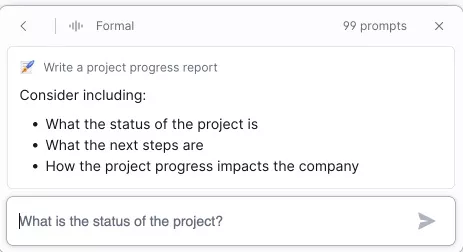
Here’s an example of the information you’ll need to generate a project progress report:
These features will save you time and effort when writing emails and texts. They are also useful if you are not confident in English but need to communicate professionally with customers.
3. Reply prompts. When replying to an email, you may see a button that says Reply quickly. Clicking this button gives you a summary of the original email and three reply prompts.
Is it possible to customize the results of GrammarlyGO?
Once the text is generated, it can be rephrased or edited for tone. Here is an example:
1. The text generation prompt is titled How to optimize your website.
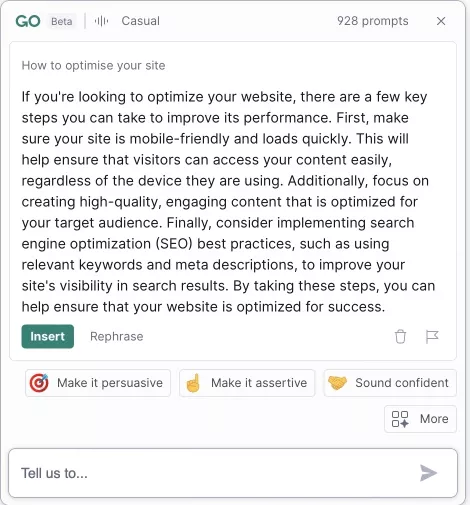
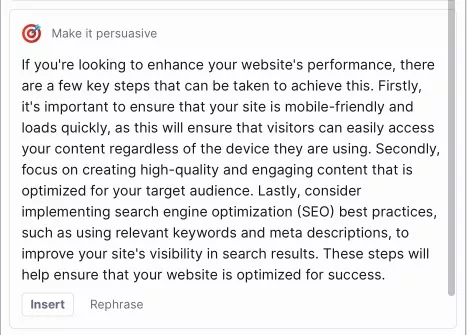
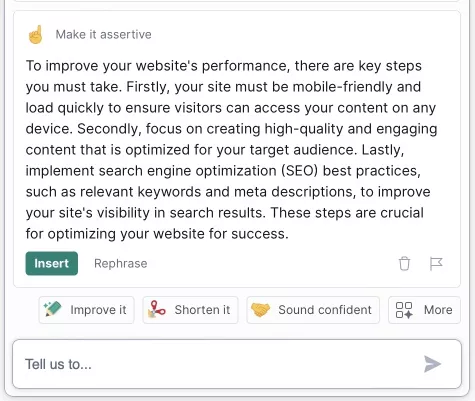
2. Here is how the text changes when you select one of the free tones (persuasive, assertive, and formal).
Persuasive:
Assertive:
Formal:
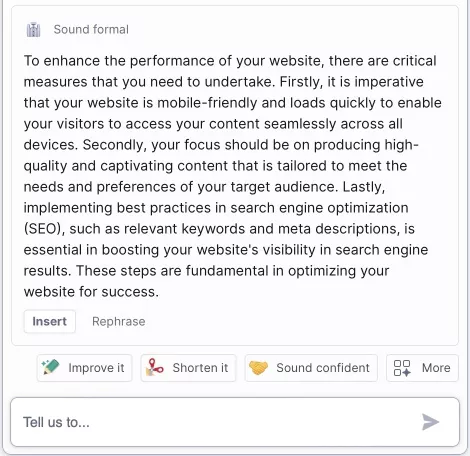
As you can see, there is a difference, but it is quite small and only involves replacing certain words and phrases with those that match the specified parameters. Do not expect significant changes in the content of the text when you customize the text with tones.
Is there a difference between the quality of the texts in the premium and free version?
We conducted an experiment to see if the AI works the same for the free and premium versions.
1. In both versions, we selected the following content generation ideas and settings: “generate blog post ideas,” “neutral style,” “catchy,” “funny,” “product designer,” and “American English.”
2. We typed Search engine optimization for e-commerce into the query string:
3. These are the results we got.
Grammarly Premium:
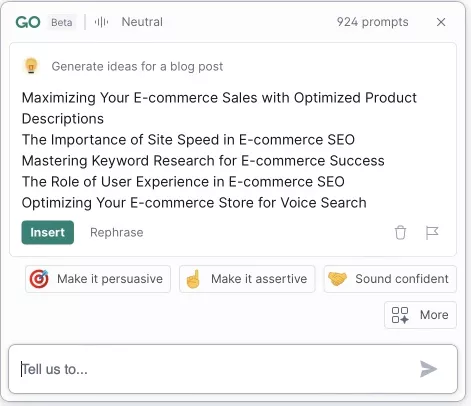
Grammarly Free:
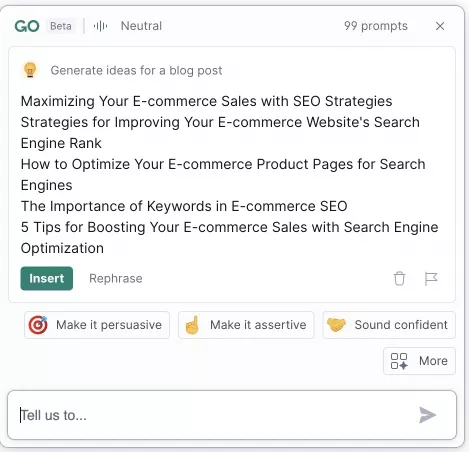
It’s safe to say that there’s no significant difference between the generated themes in the free and premium versions.
Summary
GrammarlyGO can help SEO specialists save time when writing texts, sending emails to clients and webmasters, and finding topics for blog articles. There is practically no difference between Grammarly Premium and Free, except for the number of requests allowed per month. Most importantly, the quality of the generated content is about the same in both versions.
Serpstat
The Serpstat SEO platform has also enriched its functionality with AI elements.
Almost all Serpstat AI features support 24 languages:
- Greek;
- English;
- Ukrainian;
- Swedish;
- German;
- Bulgarian;
- Danish;
- Czech;
- Estonian,
- Spanish;
- Finnish;
- French;
- Hungarian;
- Italian;
- Japanese;
- Lithuanian;
- Latvian;
- Dutch;
- Polish;
- Romanian;
- Portuguese;
- Russian;
- Slovak;
- Slovenian;
- Turkish;
- Chinese.
You can now find several AI-powered features in the program:
- Title generation;
- Description generation;
- Paraphrasing;
- Grammar and spelling;
- Article generation;
- AI content recognition;
- YouTube transcription;
- Keyword extraction;
- Bag of Words;
- Keyword Patterns;
- Article Builder;
- FAQ generation;
- Plagiarism Checker;
- Ad generation;
- Social media.
In my article about text relevance, I discussed text uniqueness and how to check it using Serpstat.
Serpstat: AI features for content
The “AI for Content” feature within the platform helps you work with text and semantics more efficiently.
1. In the Text Editor, you can use the "Article Builder" to compose an article (starting with the headline and outline, then the paragraphs), rephrase the finished material, and immediately check it for AI-generated content and plagiarism — all within a single interface.
2. A separate "AI Content Detection" tool shows which parts of the text were likely written by an AI model.
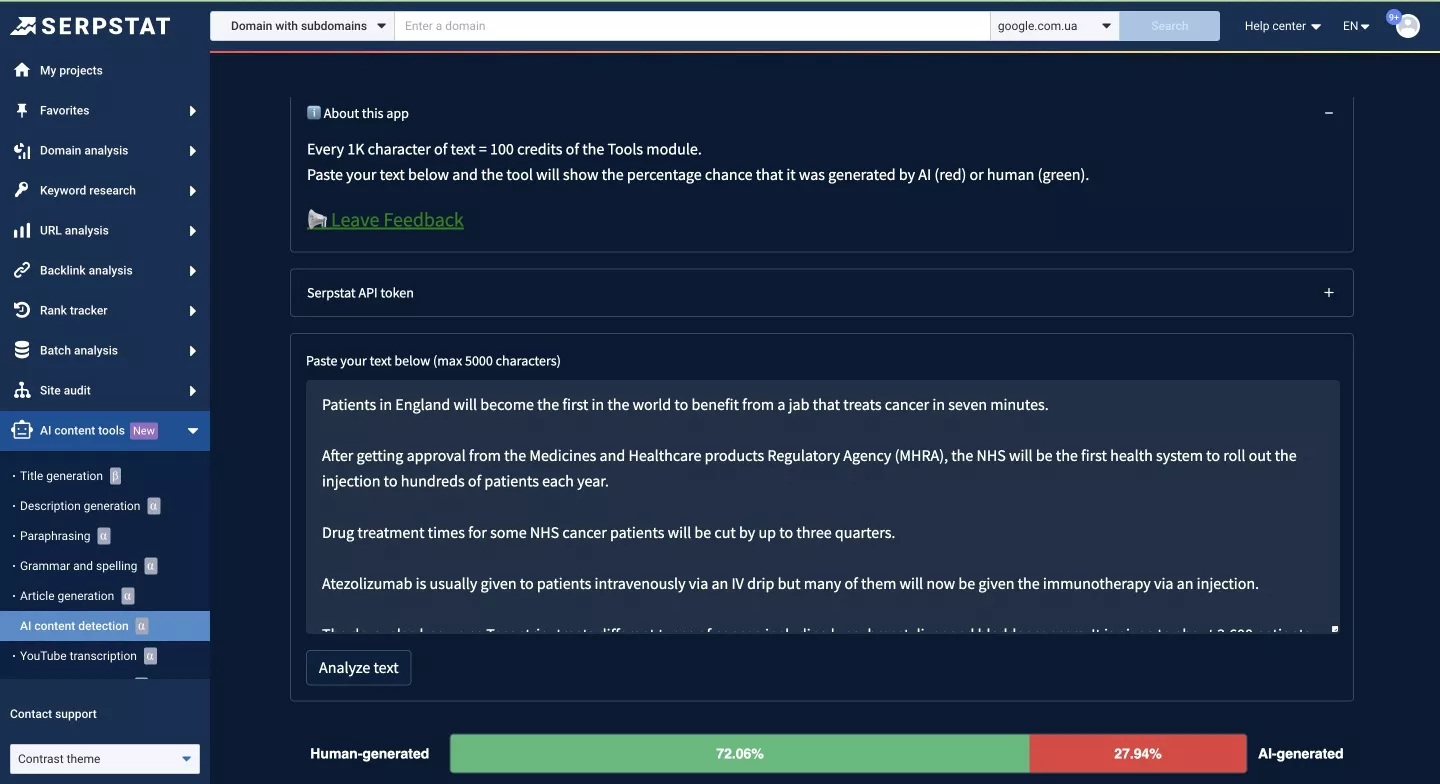
Why do you need this tool?
To check if a certain text was written by a human or generated by AI.
In practice, some outreach sites may reject texts written by ChatGPT. With the AI content detector, you can evaluate the overall quality of the text and its naturalness.
3. The bag-of-words tool generates a table with the most frequent keywords in the added text. It counts the words in the text and returns a list with frequency of occurrence data. Each request costs 100 module credits.
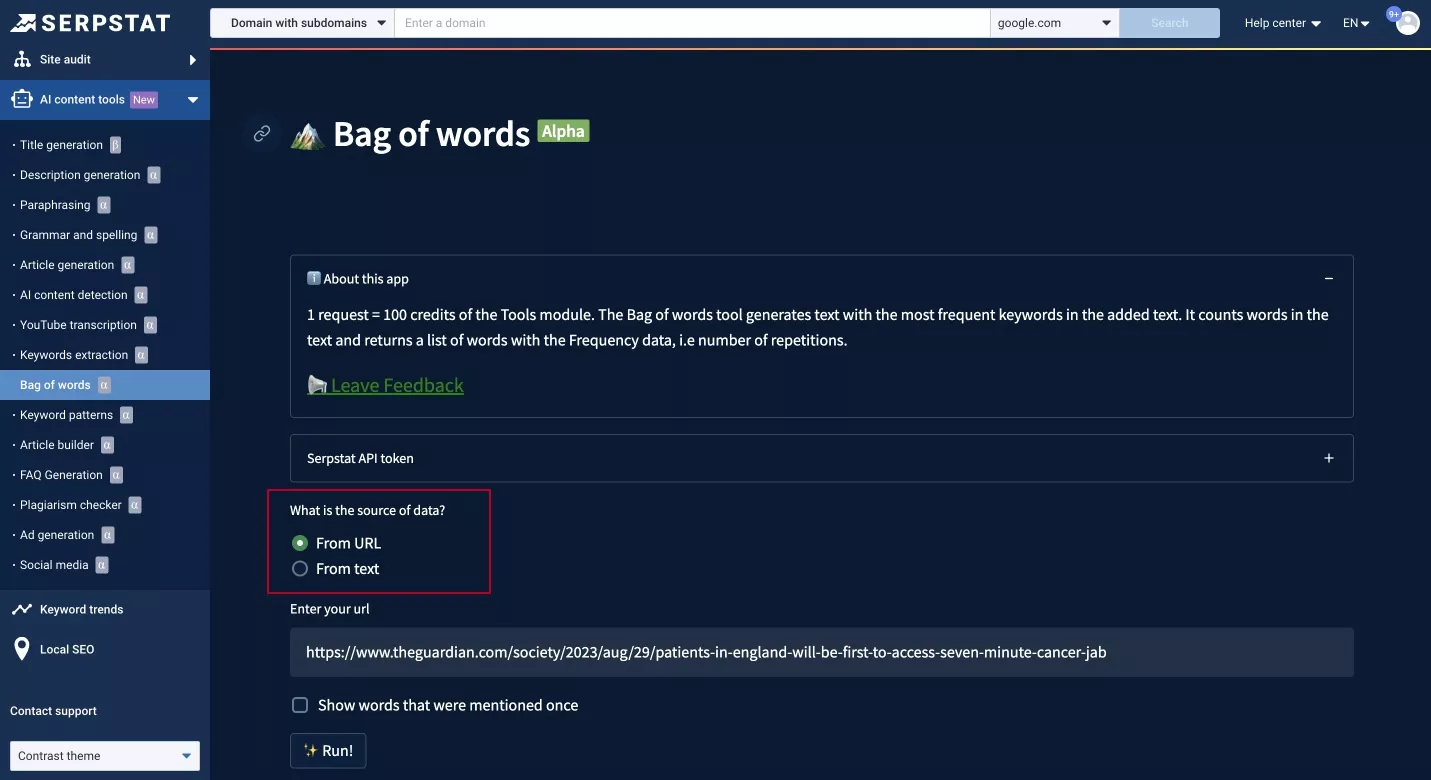
You can enter the text yourself or add a URL. You can also choose to show words that have been mentioned once. The results are shown in the form of a keyword frequency table.
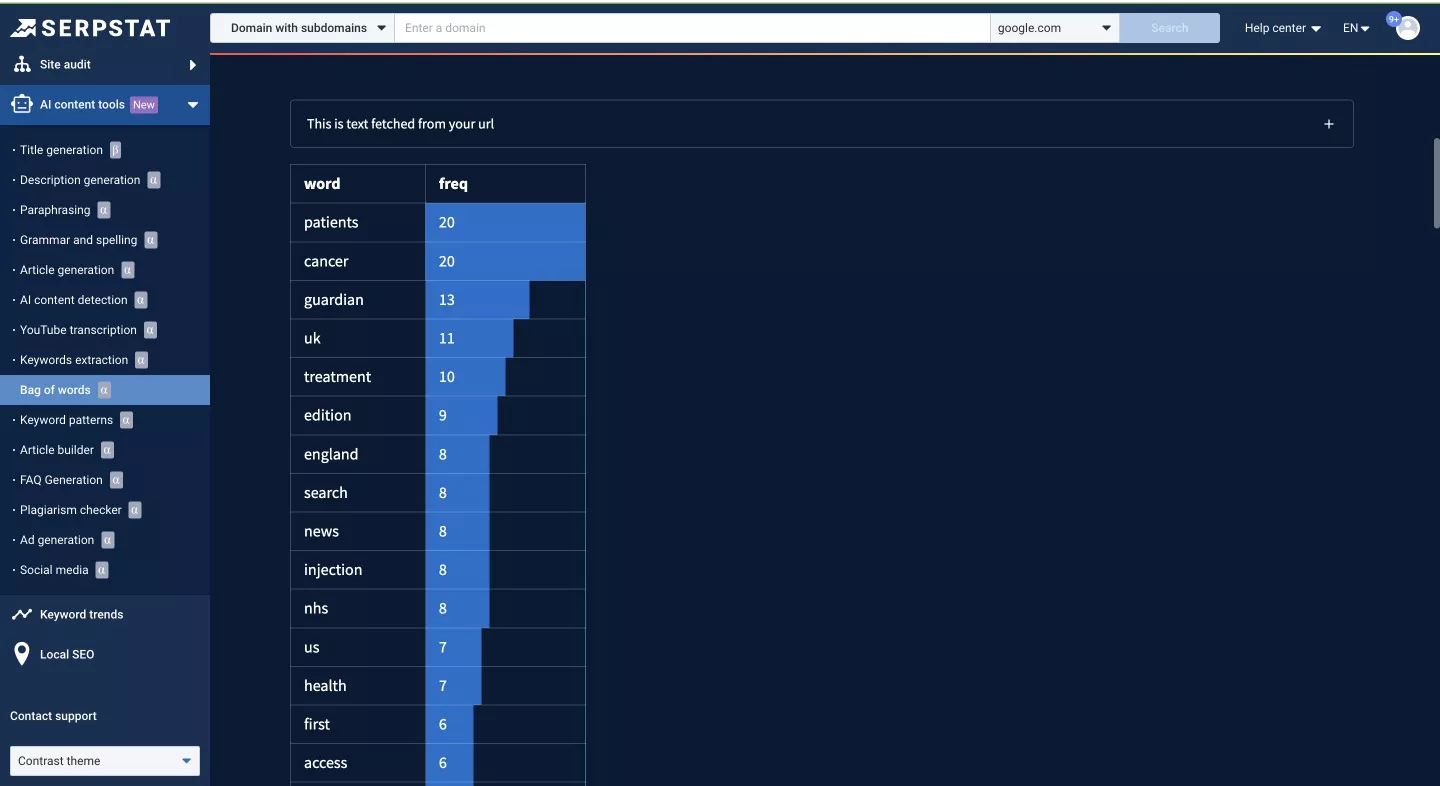
Important: The service works in languages other than English, but please note that it does not recognize auxiliary parts of a word (e.g., från, på, det, in Swedish) and treats them as separate words.
Why do you need this tool?
To select keywords and LSI words for writing content based on competitors’ text indicators.
LSI words (Latent Semantic Indexing) are words, excluding keywords or key phrases, that define the topic. After reading the list of these words, it becomes immediately clear what the text is about, even though the list doesn’t have a single keyword in it.
Combining this with other Serpstat modules and integrations, such as MCP, transforms the platform into a convenient AI assistant for daily SEO and content tasks.
How do I access Serpstat AI features?
To access the AI features on Serpstat, you need to log in to your account and follow these steps:
1. Click on your profile picture in the top right corner and select Account management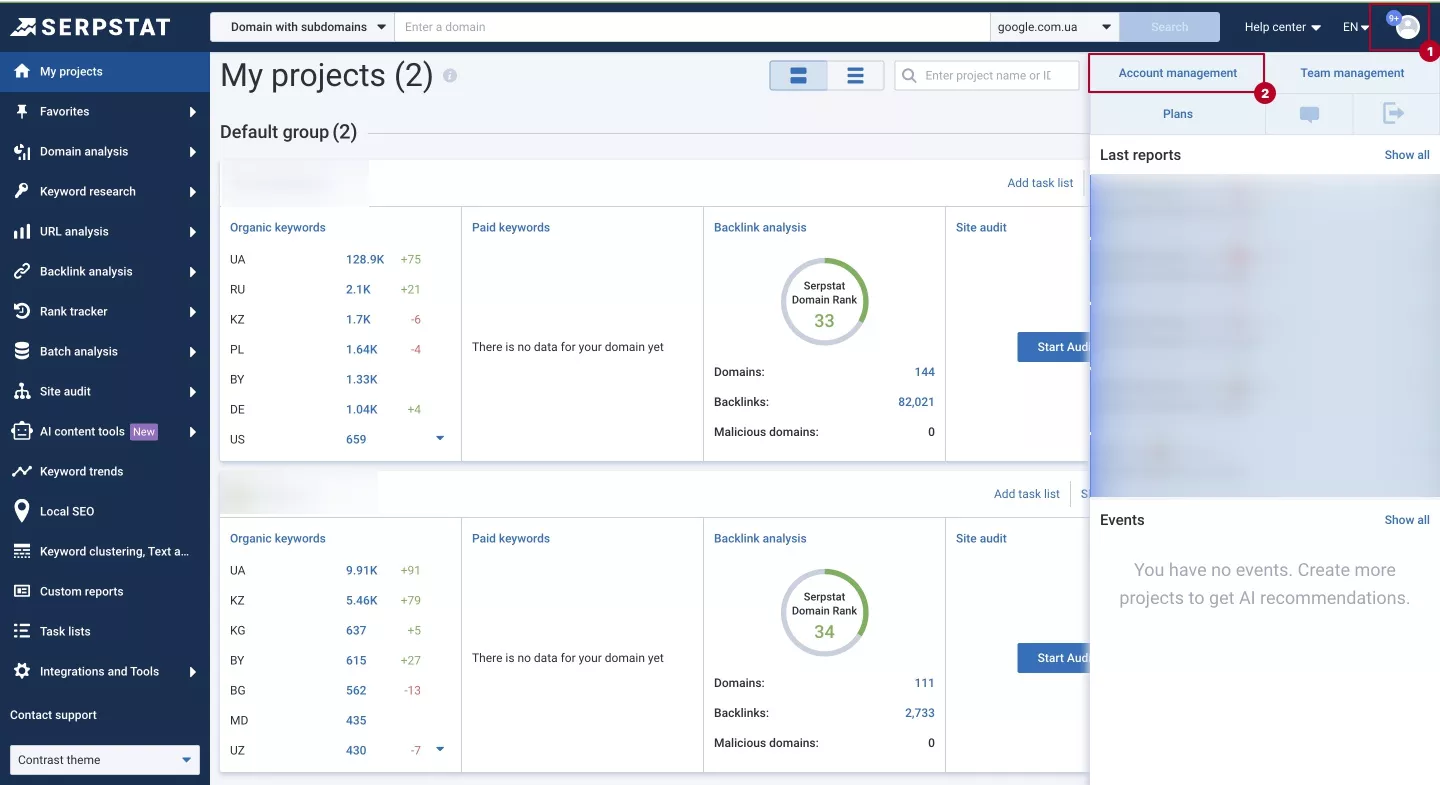
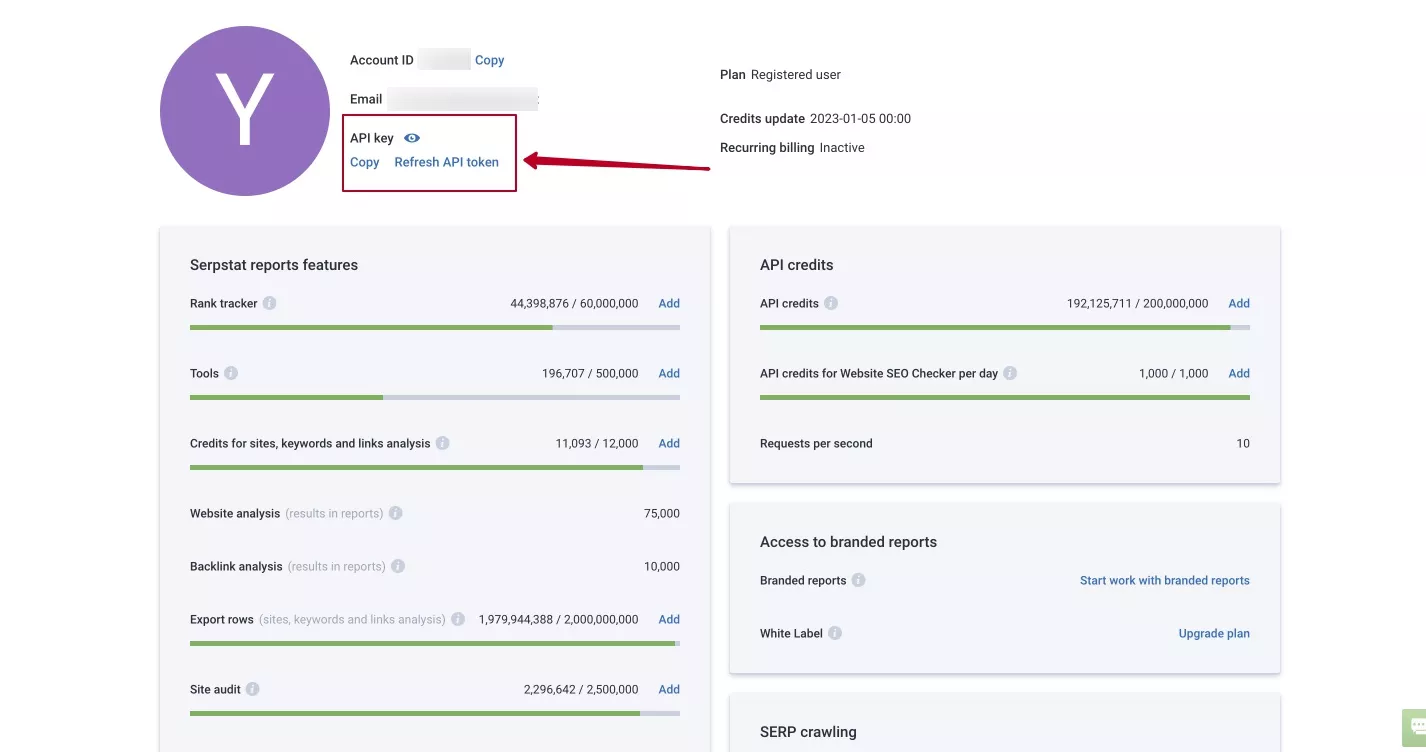
2. Next, copy your API token.
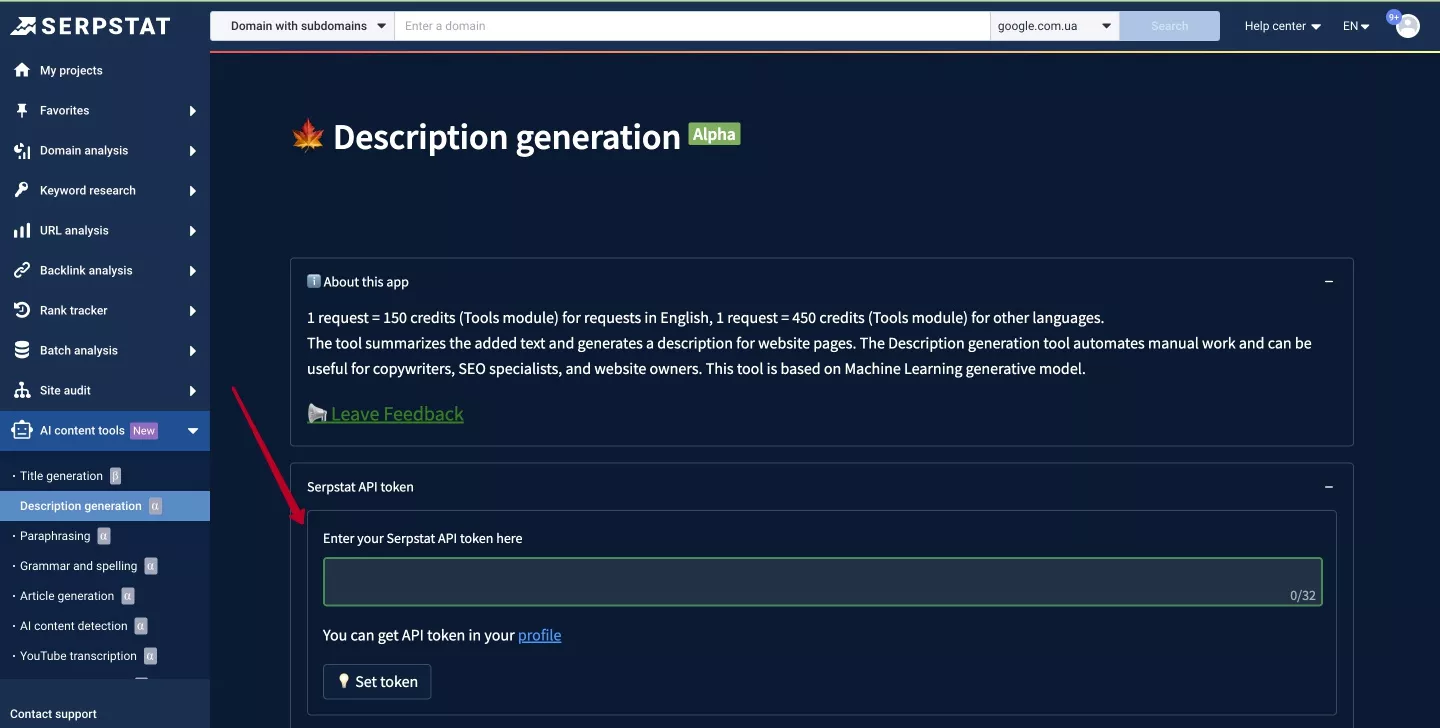
3. Go back to the page containing the AI feature you are interested in and enter your token in the required field.
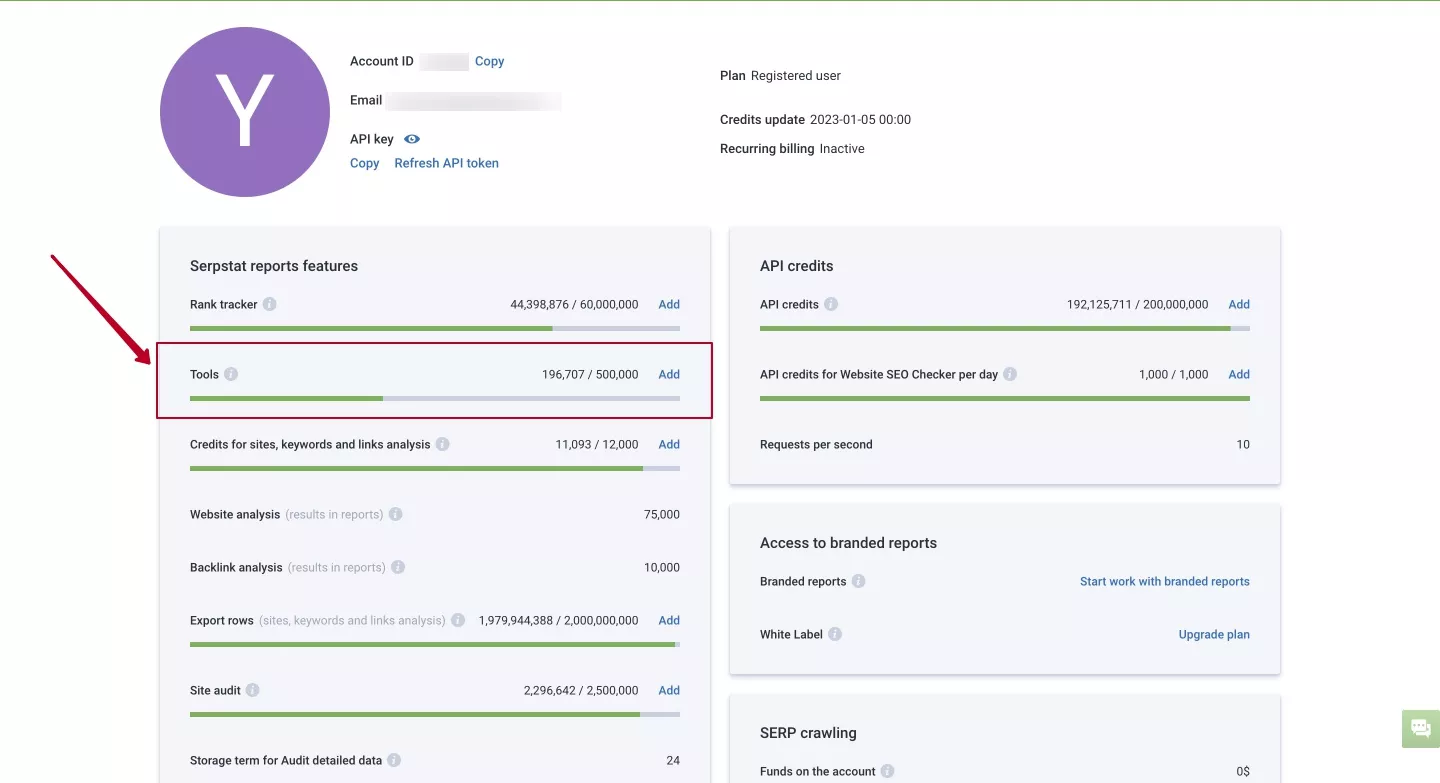
4. Check the number of remaining limits for the AI for content feature in the Tools tab.
Now, you can enjoy the features of Serpstat AI for your work.
Summary
Serpstat AI has rich functionality that can help you solve regular SEO tasks, from generating articles in 24 languages to detailed keyword research and transcribing YouTube videos.
What kind of AI is there for images?
In addition to text, AI can help you work on images for your websites and outreach. There are a variety of paid and free programs for everyone. Let’s take a look at three of them.
Palette.fm
This is a tool for colorizing images from black and white to color. There is no watermarking, and the tool has a free and paid version. The paid plan allows you to save the image in HD. One HD-quality image costs $2, and 75 images cost $49.

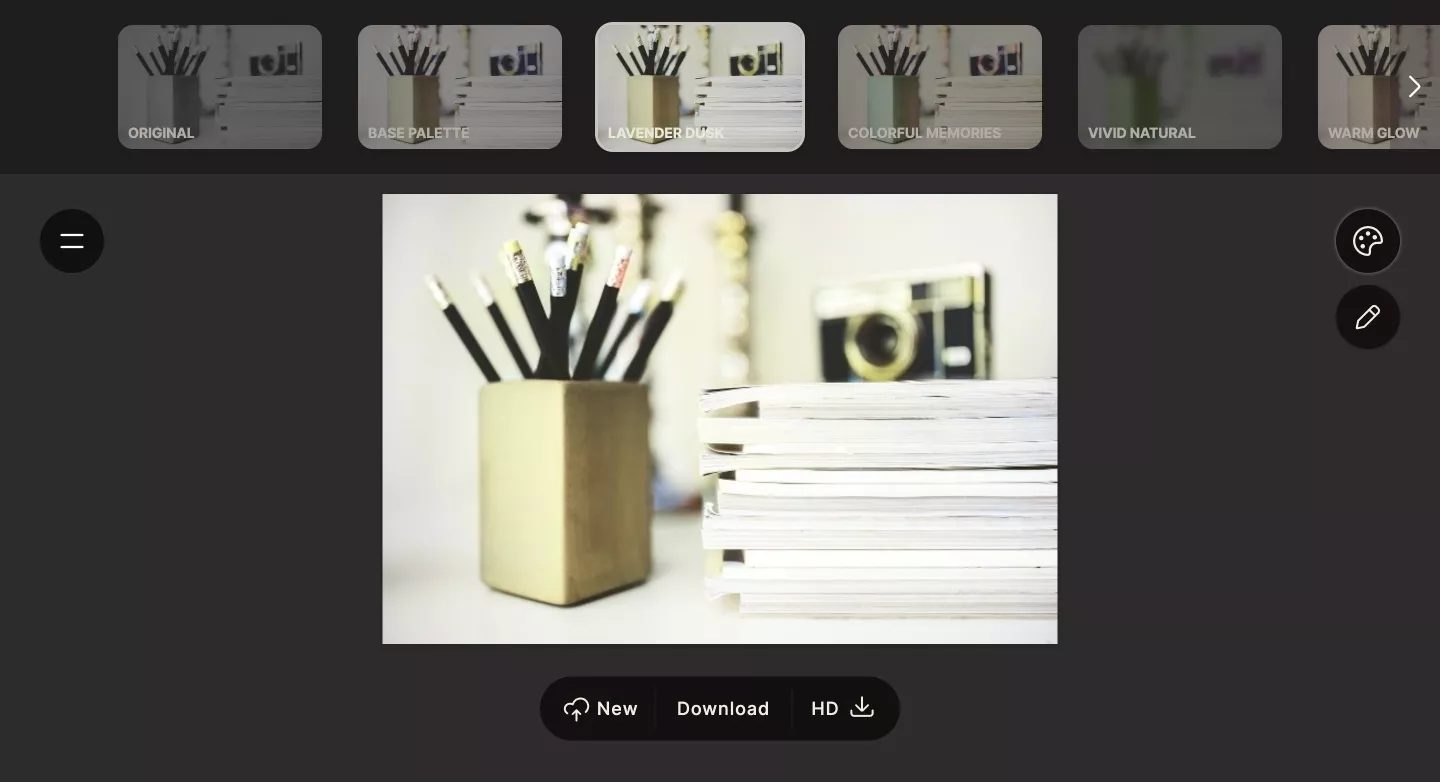
The tool is useful for those who want to add personality to stock images and for those who want to keep the same style for all images on their site.
Image Creator from Microsoft Bing
Image Creator is a solution that helps users create AI images using DALL·E. Currently, Image Creator only supports requests in English.
For best results, you have to be very descriptive. Be creative and add details: adjectives, locations, and even artistic styles such as digital artwork and photorealistic.
Tip: I recommend hovering over the images in the Explore ideas section to learn how to write quality requests. It will show you which query returned that image, and this will help you better understand what to include in a request.
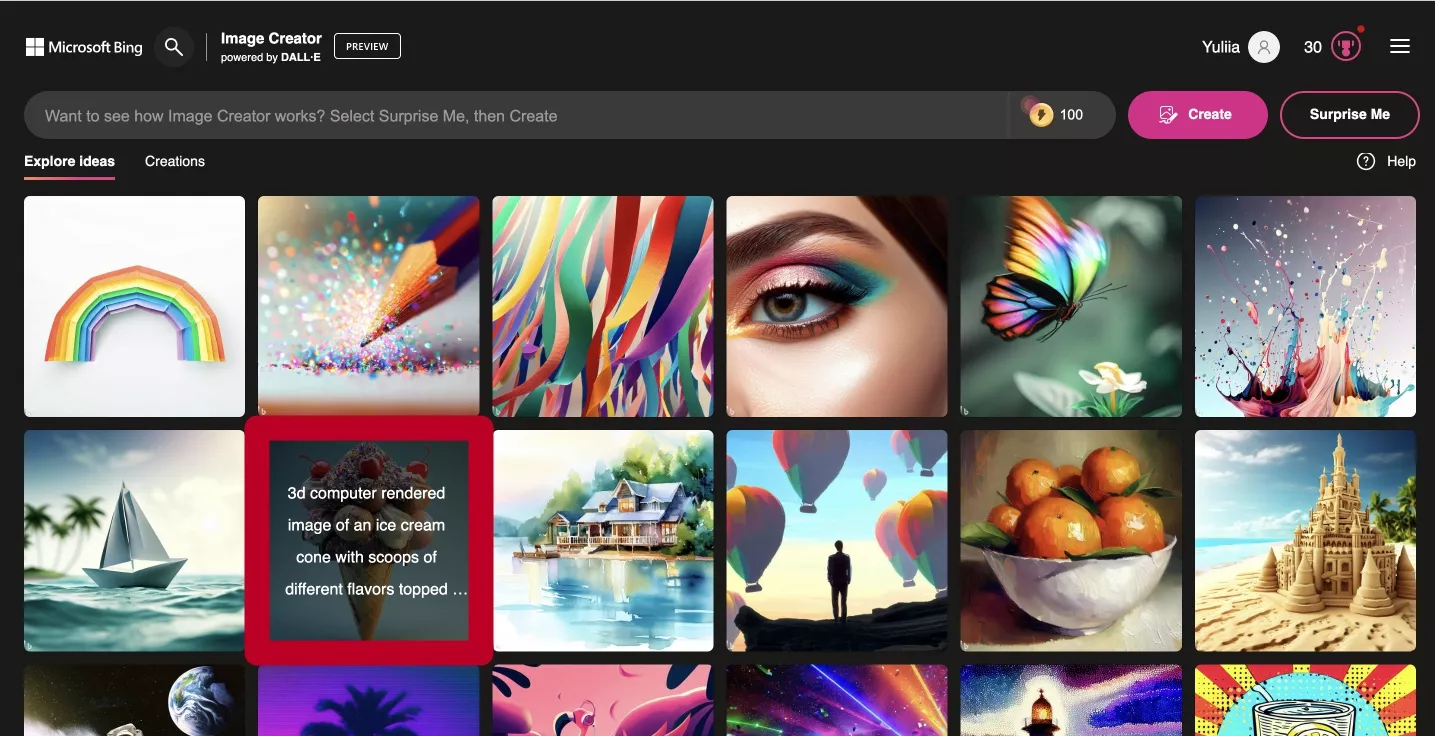
You will receive 100 boost credits every day to speed up the program. If you run out, it will take longer to generate images.
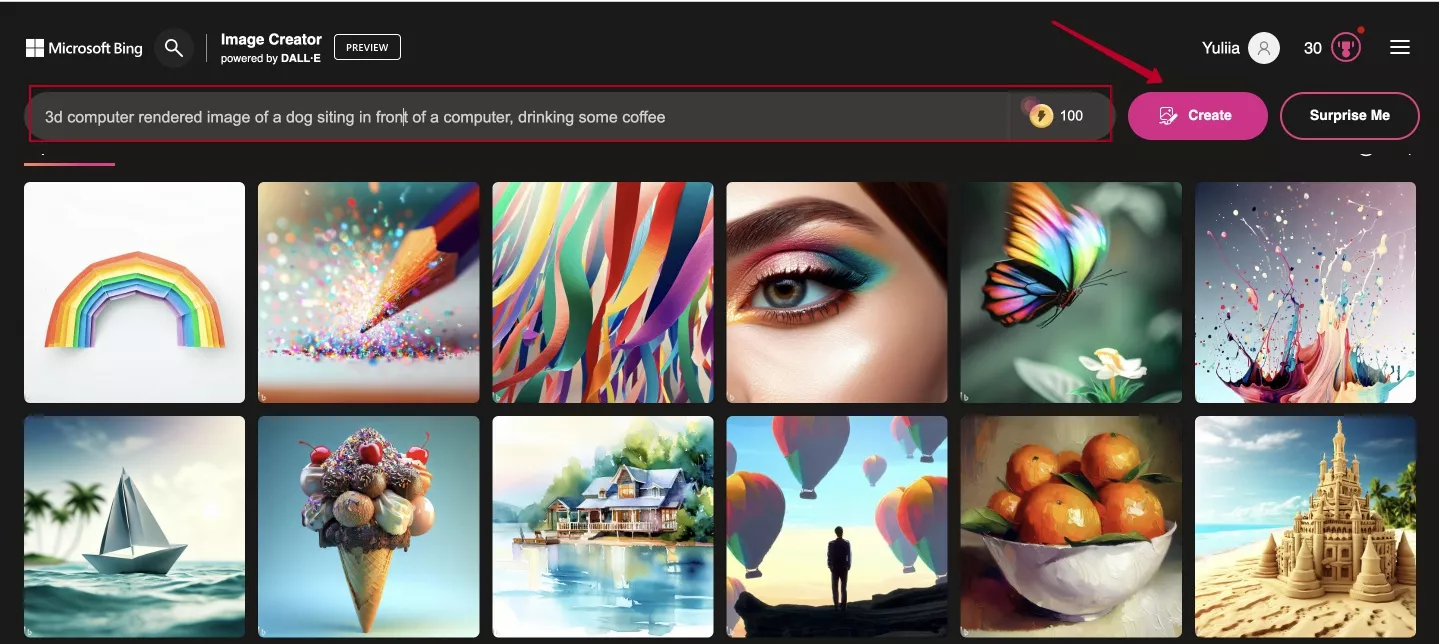
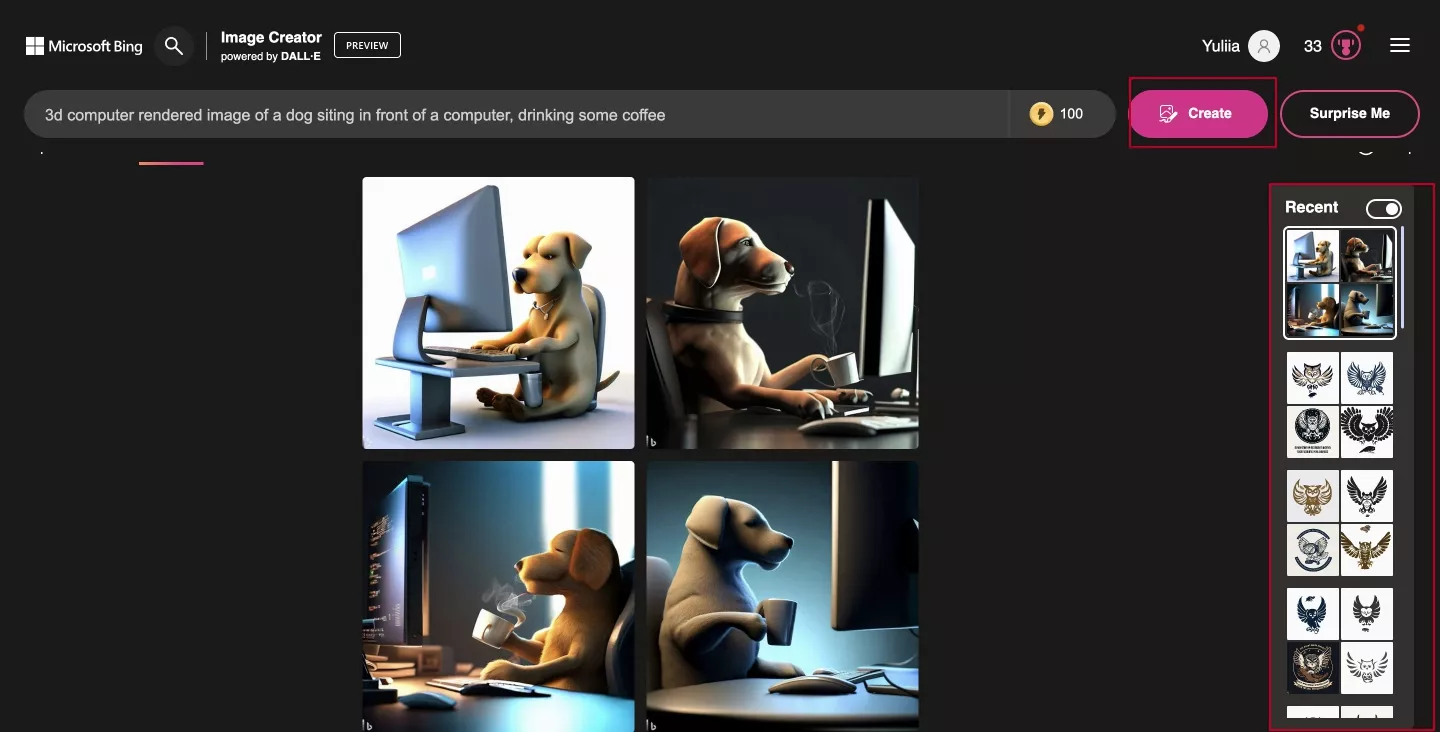
You can try to generate an image with the Surprise me button, which can sometimes generate very cute and eye-catching images.
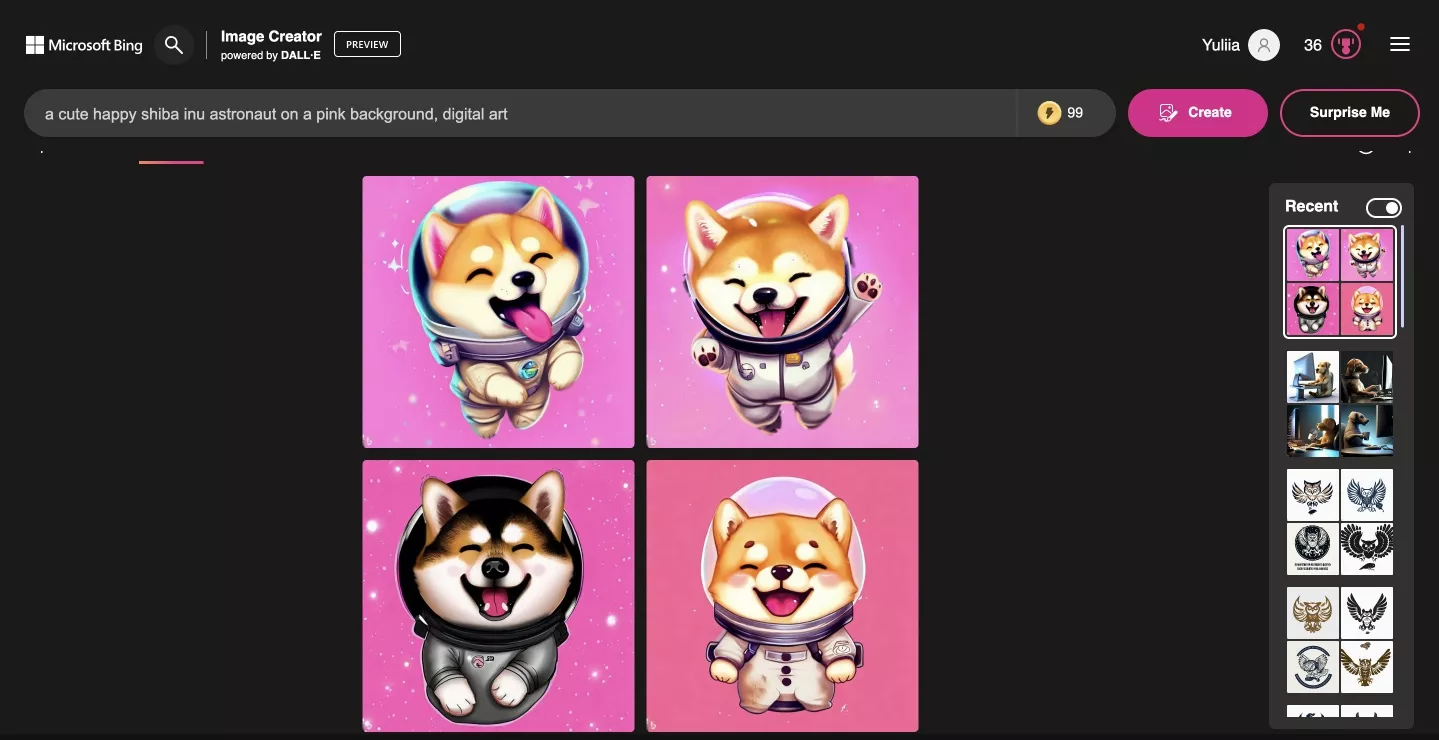
Tip: Don’t ask the AI to create an image of people because it will probably create something creepy with faces contorted into horrible grins.

It is also not recommended to add a title, as your request to add words to the image will most likely be ignored.
This AI application is suitable for SEO tasks that involve the use of images. For example, it can help you create an attractive image for your website or outreach text. But in general, the possibilities of Microsoft Bing Image Creator are very diverse; from creating logos to avatars in social networks, it all depends on your intention.
Fy! Studio
Fy! Studio is another tool that will help you generate images for your website. You have to pay to generate more than two images per day and save the generated images. Unlimited generation costs $5 per month, along with over 4,000 free saves and a lifetime archive of your generated images. Fy! Studio works similarly to Microsoft Bing’s Image Creator. Simply enter what you want to see in the image and click the button.
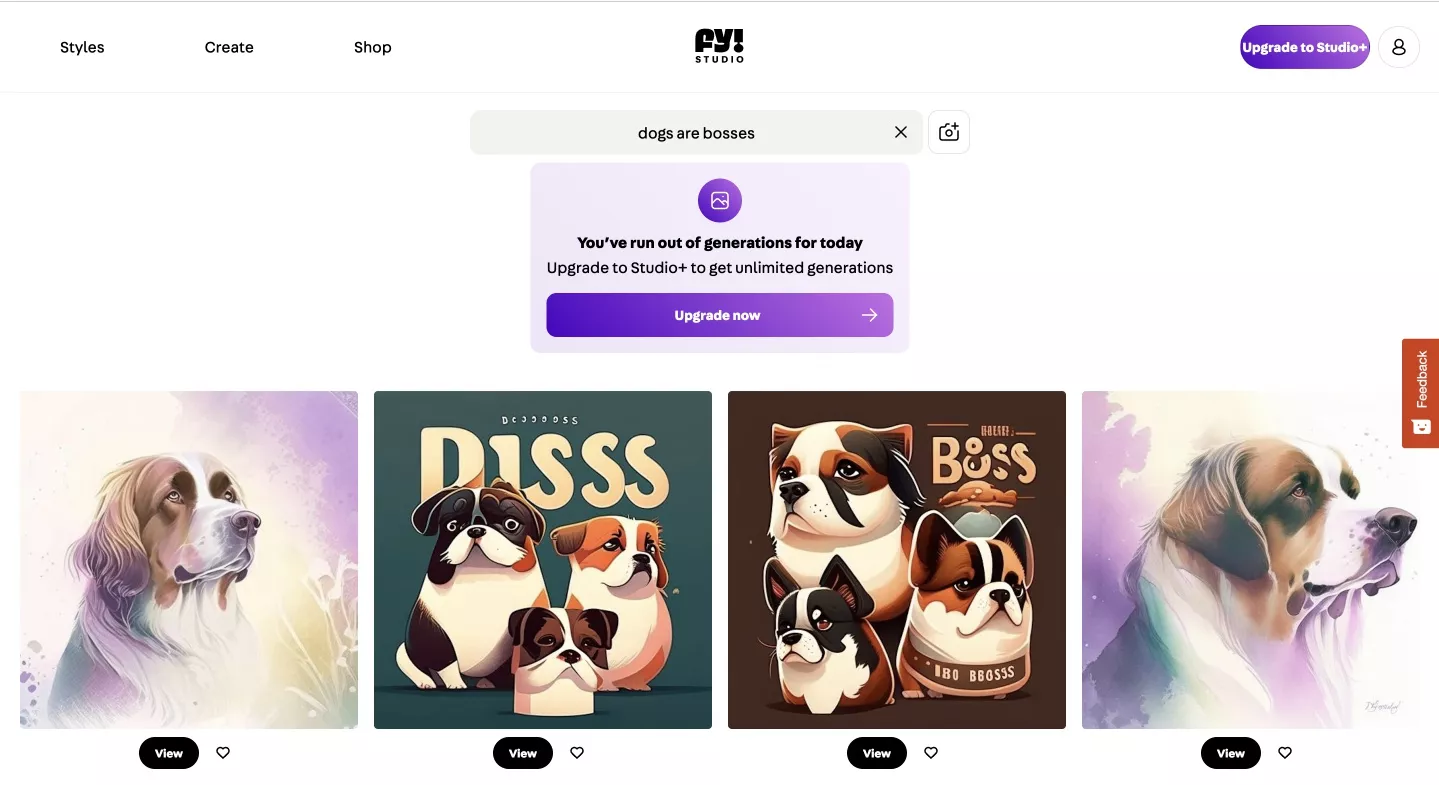
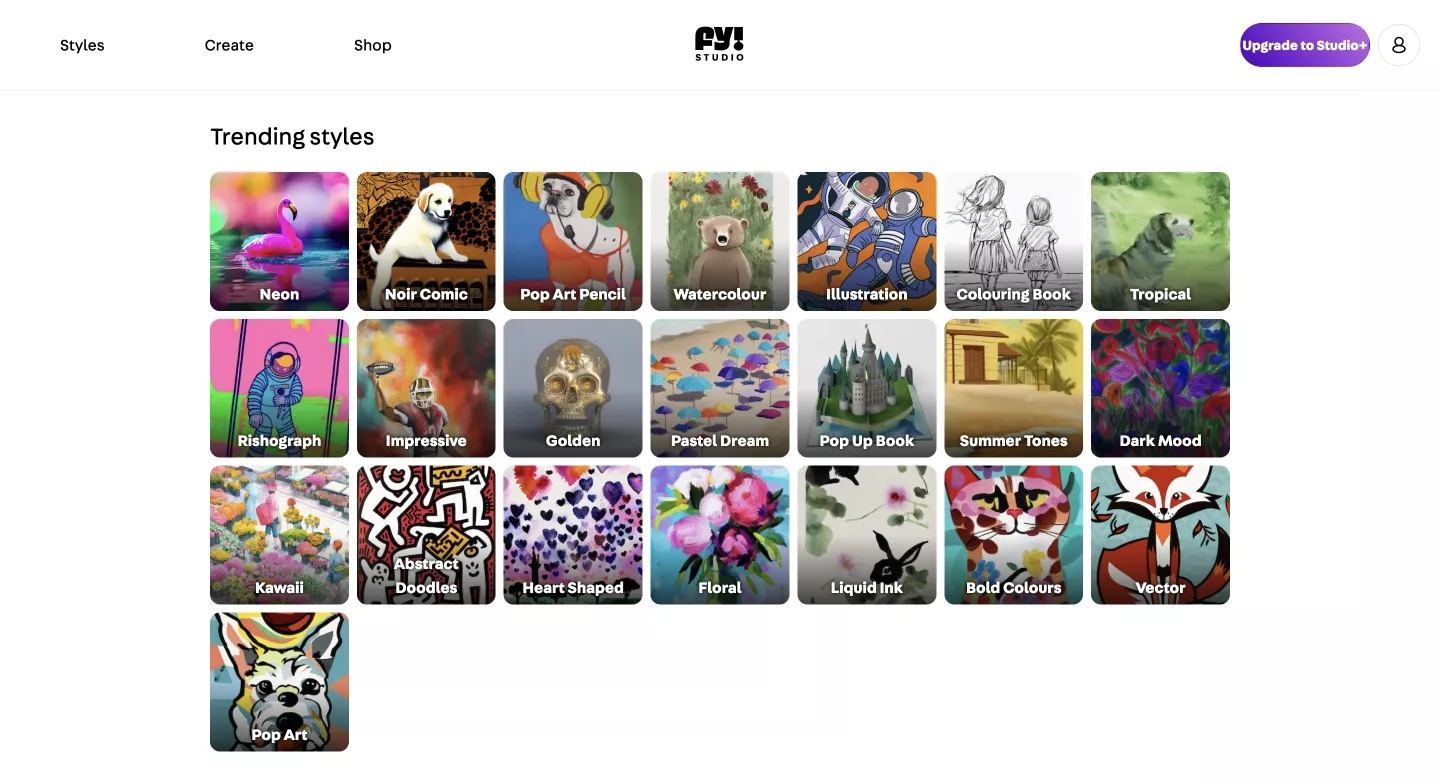
One advantage of this program is that it offers a better choice of styles. There are a variety of options to choose from, so you have a clear idea of what to expect from the settings you choose.
This service also has the ability to generate 18+ images, which is not possible with the Microsoft Bing Image Creator.
You can also add your own photos, and the AI will reproduce them in a different style. As with the previous site, trying to do anything with images of people can be frustrating:

Aside from the problems with AI’s perception of humans, Fy! Studio is a great way to find a nice image for your website or for outreach text.
Legality of using AI images
There are many apps that can help create beautiful, high-quality images (as long as they are not images of humans). However, it’s important to remember that copyright laws on AI-generated images are still evolving and vary between different countries and jurisdictions. In general, however, users are encouraged to label AI-generated images appropriately to avoid confusion or misattribution.
Also, any images created using a text request to current generative AI models cannot be copyrighted in the United States. So says the U.S. Copyright Office (USCO), which has equated such requests to a buyer giving directions to an artist. “Humans determine what should be displayed, but it is the machine that determines how the user’s instructions are realized in the output,” the USCO writes in a new guideline. So you can’t claim copyright for such images on your website either.
In general, AI-generated images are free to use for now, but it’s important to keep up with the latest news in the industry as changes are common in this rapidly developing field.
Conclusion
Today, many SEO tasks, especially those assigned to junior SEO specialists, can be done faster with AI. For example, writing technical requirements for copywriters, creating eye-catching meta tags, filling the site’s blog with new articles, and translating content into different languages. Therefore, using AI tools has become an everyday routine in the work of SEO specialists.
There are several existing AI tools and text generators for general use, such as Grammarly and Serpstat AI, and such tools continue to be developed.
- Grammarly Al is feature-rich in both paid and free versions. The resource helps SEO specialists write texts and emails to clients and webmasters and find topics for blog articles.
- Serpstat AI also generates texts, especially FAQs, articles, and YouTube transcriptions.
As we can see, the choice of AI is not limited only to ChatGPT and Bing Chat, which have established themselves as the industry’s main players. AI is also not limited to text-based content. It can be used to create and modify images for websites and outreach.

 2
2
 2
2
 0
0
 0
0
Related Articles
Local SEO for Home Service Companies: 8 Fool-Proof Ways to Reach Your Customers
When something breaks, people go straight to Google to find a plumber, an electrician, or a roofer right away. And local home services SEO is what makes sure you’re the one they find (and choose!) instead of your competitor.
Local SEO for Construction Companies Explained
If clients can’t find you online, they hire someone else. Learn how local SEO puts your construction business in front of ready buyers.
How to Market a Security Company in 2026?
Most security companies are invisible online. Here's how to fix that and turn your digital presence into a steady stream of qualified leads.