
Netpeak Spider: how to optimize JavaScript loading and check website availability
Our Netpeak Spider free app is designed for scanning sites and exporting key SEO parameters. It is characterized by high speed of operation, possibility to calculate internal PageRank of the pages and opportunity to work through proxy-server. Our SEO-specialist Alex Danilin has written six small cribs for those who only get acquainted with Netpeak Spider.
Task 1. Check the availability of pages closed for Google’s indexation
Solution: First of all we need to scan the site with setting's “Scan Type” — “Site”: 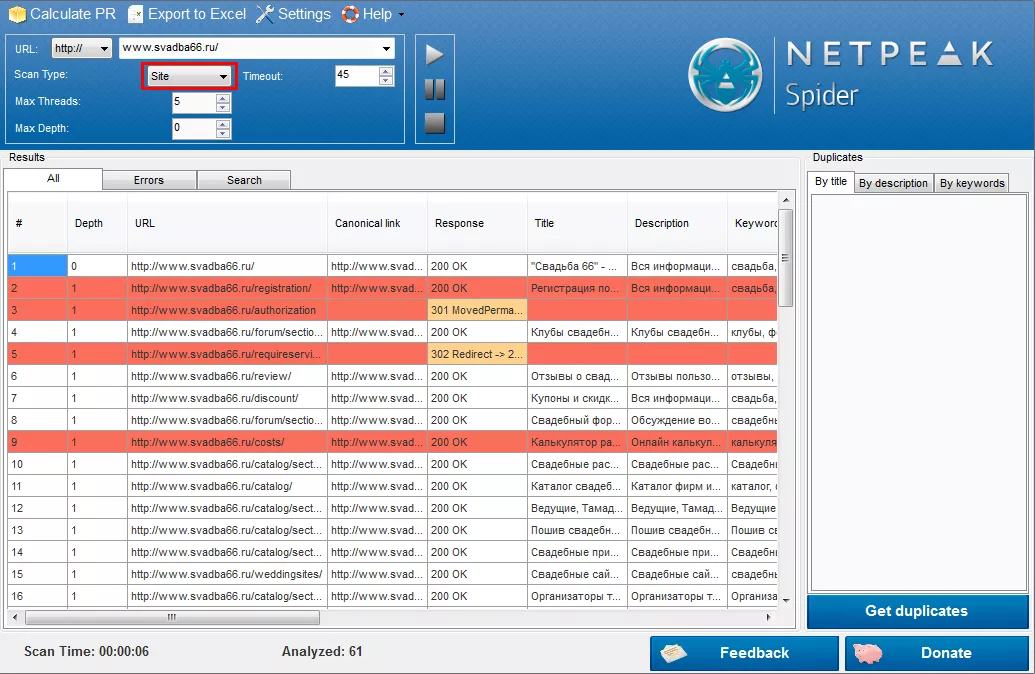
Get results in Excel (“Export to Excel” button). After that we need to scan the site with settings “Scan Type” — “Google”: 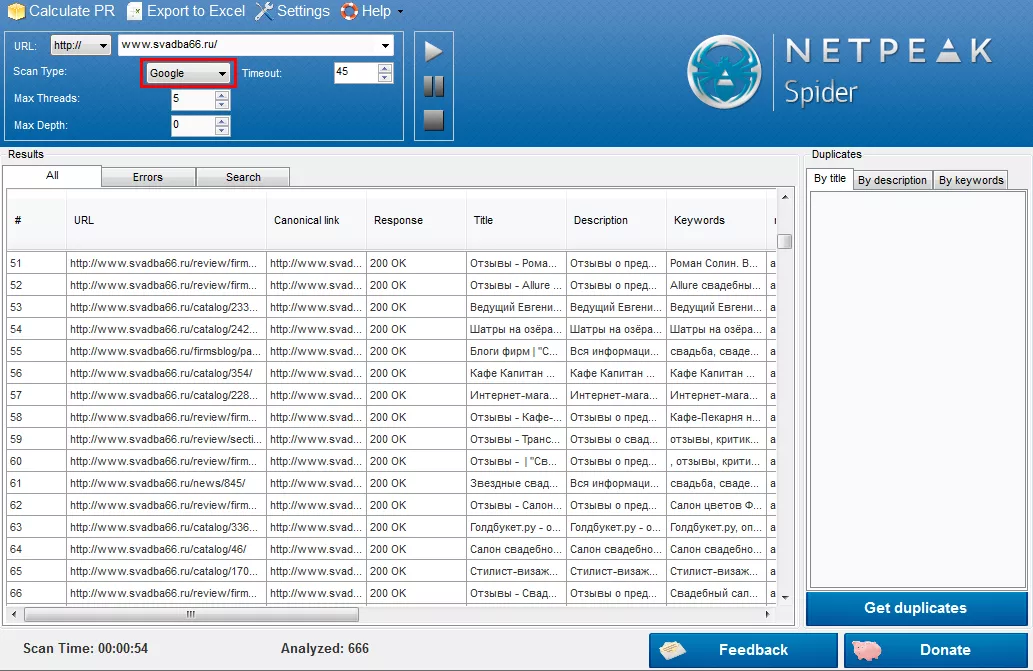
Get results in Excel (“Export to Excel” button). Find out in Excel, if there are URLs in the second list, that should be deleted from the first one.
Task 2. To optimize JavaScript loading on the site pages
Solution: Choose menu “Settings” — ”Scan” and set the checkbox “Include js files”:
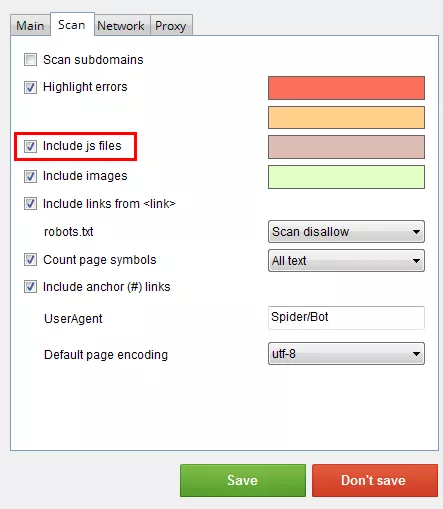
Obtained results can be downloaded in Excel (mark “URL” and “Links to this page”): 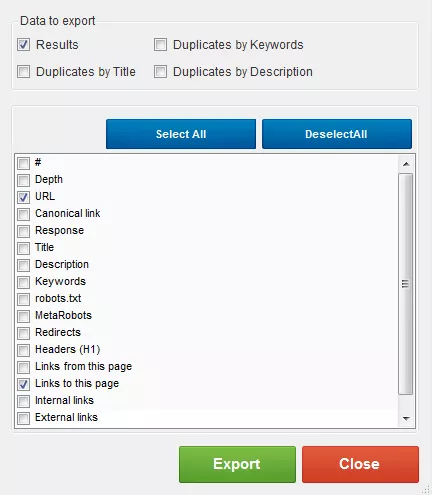

 0
0
 0
0
 0
0
 0
0
Related Articles
Pet Food Product Patent: How to Protect Your Innovation
Patenting pet products requires careful consideration and proper application filing. With the 8 steps below, you will be able to submit your patent application and protect your invention.
What Happens When Amazon Suppresses Your Listing? The New 2026 Rules
Under the new 2026 rules, Amazon warns you first and gives you a grace period to fix the issue.
Business Apps in the US: iOS vs. Android, August 2026
We’ve fetched data from the US App Store and Google Play to see what professionals, shoppers, and businesses are actually installing, and why the market leaders are winning right now.