
I want to propose you fast and free method of important html tag check using only GTM and Google Sheets. As an example, I will show checking of <meta name=”robots” content=”noindex”>. It can be useful when accidentally important pages become closed for search engine bot after site updates.
We should setup 3 parts:
- GTM for tags checking
- Google Spreadsheet for collecting data
- Google App Script for data processing and Email alerts
1. In GTM create variable “Meta Robots”
This variable will store value of content attribute of meta robots tag.
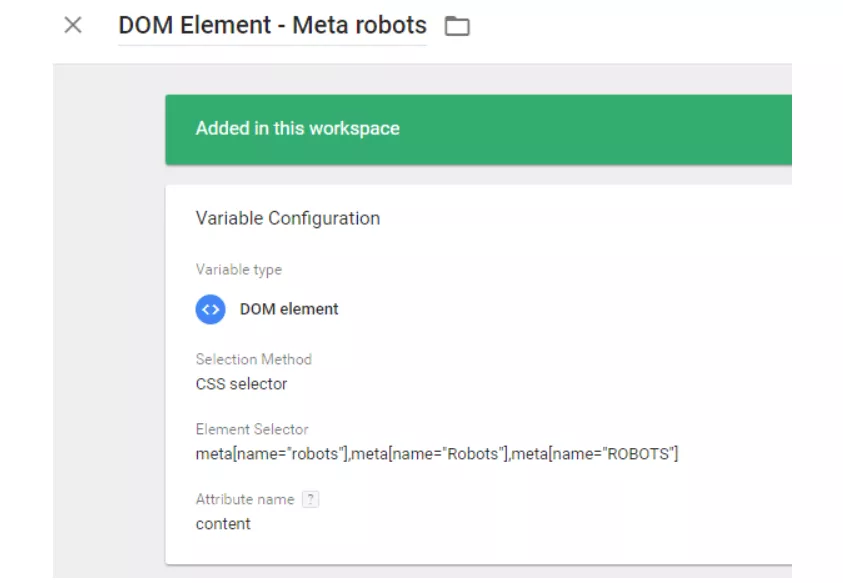
There are 3 CSS selectors to avoid errors when name attribute contains upper case letters.
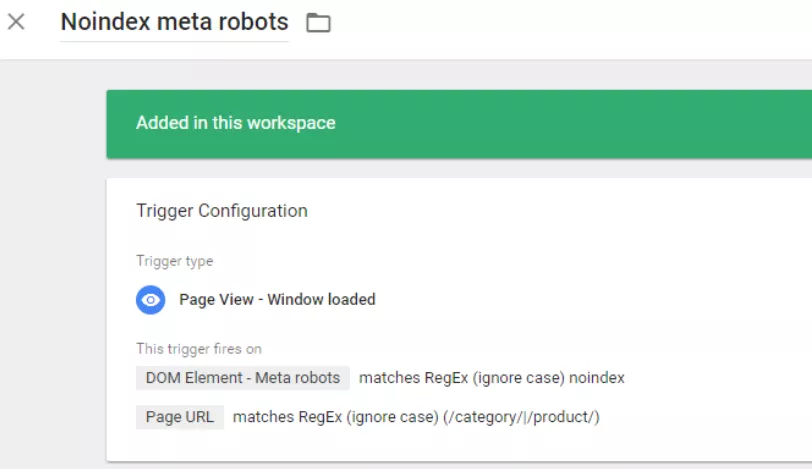
2. In GTM create trigger “Noindex Meta Robots”
Trigger will fire if:
- Variable “Meta Robots” contains “noindex”.
- Page URL matches regular expression.
For the second rule you should create regex that matches important pages on your site.
3. Copy data collection Google Spreadsheet
Just copy spreadsheet template. It contains all needed scripts.
Important! Don’t ask for access. Just copy it to Your Google Drive:
File -> Make a copy...
We will collect only URLs and visit time. If you need more data just add more columns and correspondent web app URL parameters in paragraph 4.
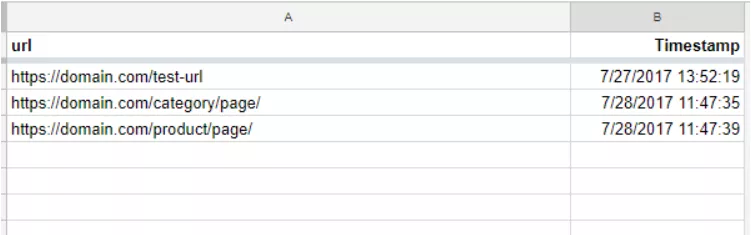
Important: all columns should have names! Don’t continue unless you specified column names.
4. Set up App Script
In spreadsheet template go to Tools -> Script editor… and edit variables in file “Get data.gs”.
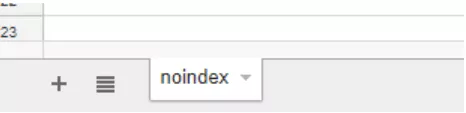
In var SHEET_NAME = "Sheet Name"; replace “Sheet Name” to your main sheet name (in template it is “noindex”).
In var SHEET_KEY = "Spreadsheet ID"; replace “Spreadsheet ID” to your spreadsheet ID.

In script editor publish script as web app with public access. You will have to give an access permission when running the program for the first time.
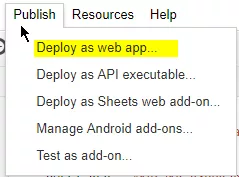
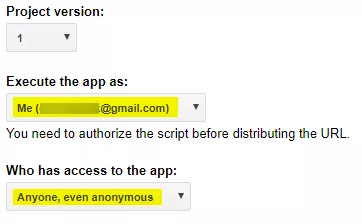
You will get web app URL.
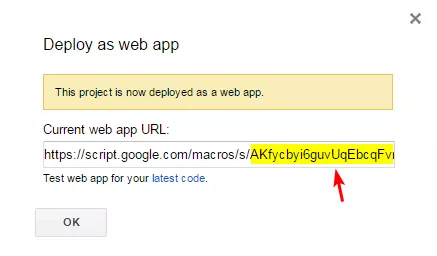
In screenshot above [web_app_ID] is highlighted. Save it. You will need it in next paragraphs.
Now we can add data to spreadsheet using URL with template:
https://script.google.com/macros/s/[web_app_ID]/exec?[Column1_name]=[Data1]&[Column2_name]=[Data2]&[Column3_name]=[Data3]&Timestamp
We will send only URL of page with noindex meta robots. You shouldn’t specify value for Timestamp parameter. Web app will put timestamp by itself.
5. Check data processing
Put such URL in your browser:
https://script.google.com/macros/s/[web_app_ID]/exec?url=https://domain.com/test-url&Timestamp
You shoud get succes result and row number with saved data.

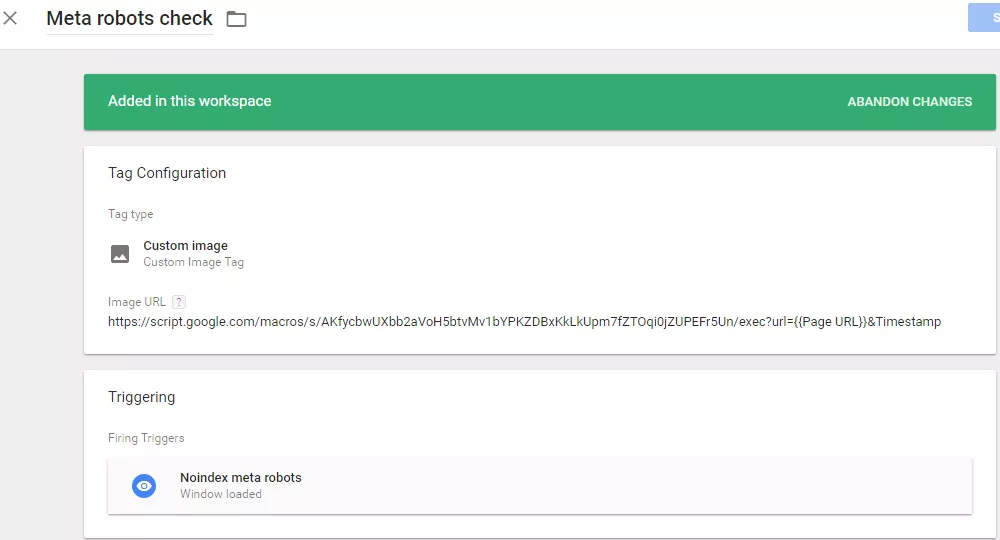
6. In GTM create tag “Meta robots check”
Create “Custom image” tag. Put to Image URL:
https://script.google.com/macros/s/[web_app_ID]/exec?url={{Page URL}}&Timestamp
Add “Noindex Meta Robots” trigger from paragraph 2.
7. Set up script for data check
There is script in file “Check noindex.gs” in spreadsheet template script editor.
It checks if there are URLs in “noindex” sheet for specified date. If there are at least one URL, it will send an alert to emails specified at sheet “emails”.
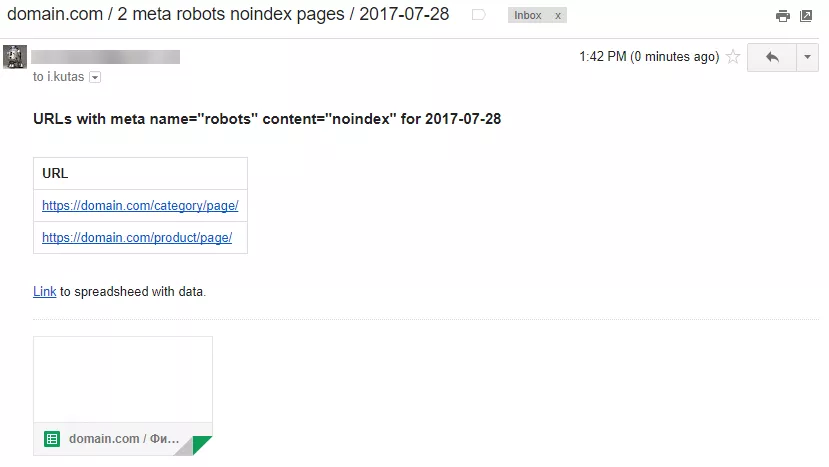
8. Setup script trigger
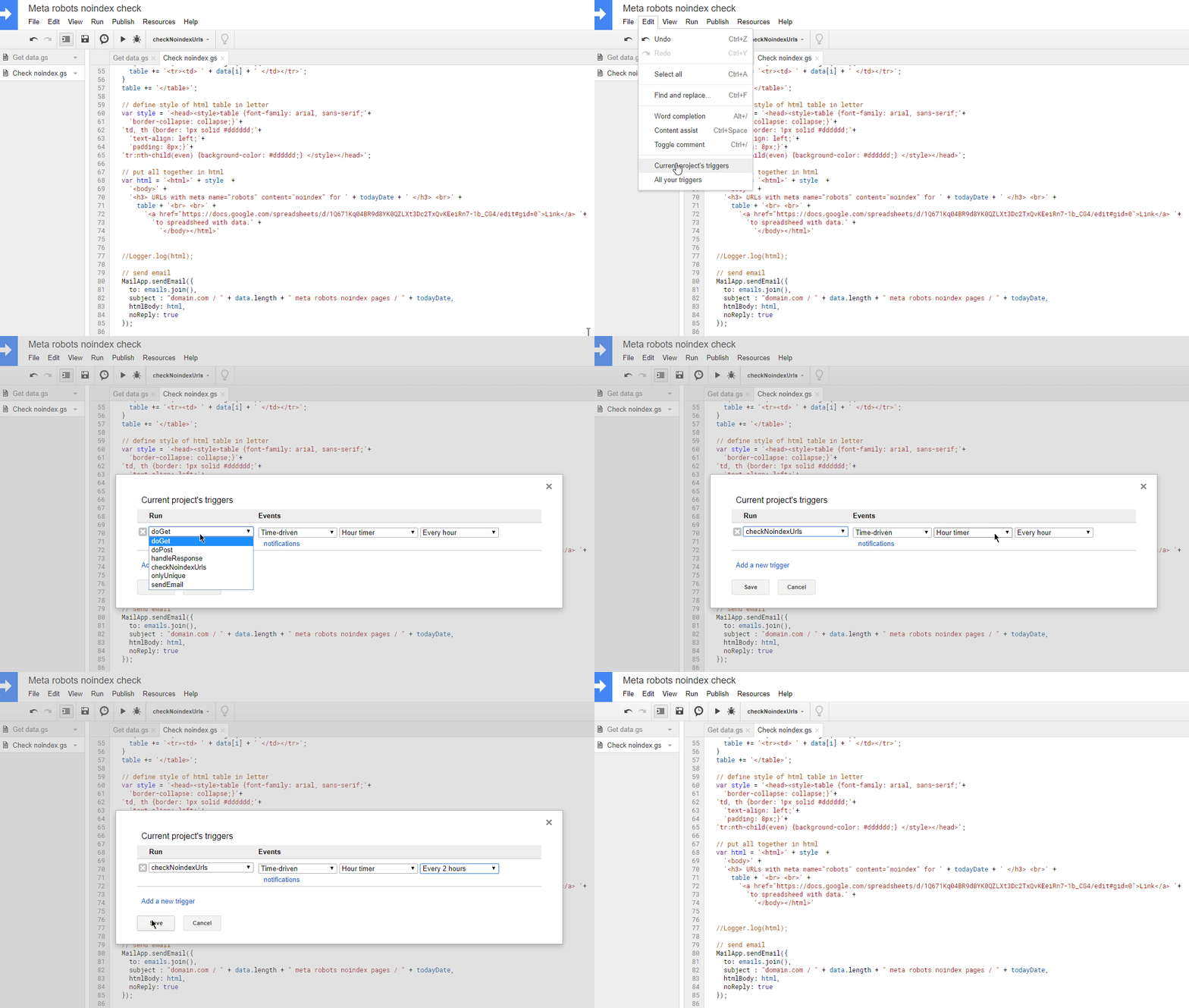
You should only define execution frequency for script.
Go to Edit -> Current project’s triggers , click “Click here to add one now.” and setup needed frequency.
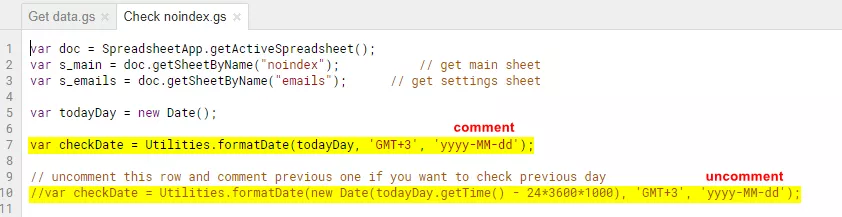
If you want to check only previous day URLs at night, just uncomment second checkDate variable in the beginning of file “Check noindex.gs” and setup correspondent trigger.
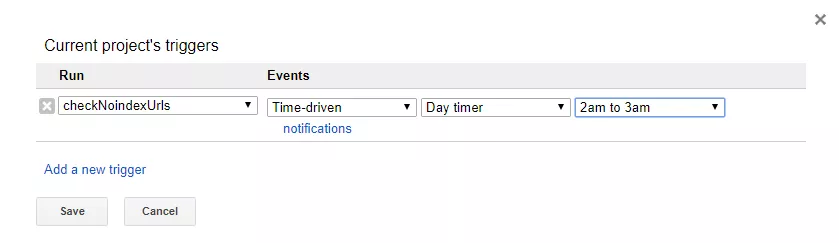
Conclusion
You can setup fast and free checking of important html tags at your site by algorithm:
- In GTM create variable for storing content value of meta robots tag.
- In GTM create trigger, which fires for important pages that have noindex in variable.
- Set up Google Spreadsheet for data collection.
- Set up App Script for data processing.
- In GTM create “Custom image” tag that will send data to web app.
- Set up script for checking URL in spreadsheet for specified date.
- Set up trigger for script.
You can improve this script for your needs. For example, you can send data from different sites and send different alerts for each site.
Also there is limit of 400 000 cells per one spreadsheet. So sometimes you need to clean the main sheet of unnecessary records.
I’m waiting for your ideas in comments.

 19
19
 11
11
 8
8
 0
0
Related Articles
Selling on Amazon Europe in 2027: How to Choose Your First EU Market and Build a Successful Business
This guide helps you sell on Amazon Europe without spreading yourself thin. It gives you a marketplace comparison, a weighted scorecard, a fulfillment decision table, and a 90-day launch plan.
What Vibe Coding Means for Business: No Coding Skills, One Weekend, One SaaS
Vibecoding is changing the rules for front-end development and opening up new opportunities for businesses, but there are some nuances to consider.
Amazon's AI Now Builds Complete Looks on Product Pages. How Do Brands Make Sure the Bundle Is Theirs?
Amazon now uses AI to assemble complete, shoppable looks around a single product, and it fills those looks with whichever brands its model picks.