
How Do Amazon Sellers Optimize Listings for AI Shopping Assistants?
Amazon sellers optimize listings for AI shopping assistants by writing clear titles, bullets, and descriptions that answer real shopper questions, filling in every product attribute so the facts are complete and consistent, and keeping reviews, Q&As, and A+ Content accurate and aligned with the listing’s claims.
How Do AI Shopping Assistants Use Amazon Product Listings?
Amazon’s AI assistant is now a major part of how people shop.
-
Monthly users grew 140% year over year, according to Amazon’s full-year earnings release.
-
Amazon also credited it with helping deliver nearly $12 billion in incremental annualized sales in 2025.
-
Marketplace later said the AI assistant reached more than 300 million customers and made them over 60% more likely to complete a purchase during their shopping journey (Amazon).
In May 2026, Rufus was renamed Alexa for Shopping. Amazon says the assistant builds answers from listing details, customer reviews, and community Q&As. Sellers therefore need listings that answer questions, not only match keywords.
Interested in how Amazon uses AI to maximize results? Read our articles:
What Parts of an Amazon Listing Should Sellers Optimize for AI?
|
What to Optimize |
Why It Helps AI |
|
|
Title |
Product type, key attributes, differentiator |
The assistant needs to know quickly what your product is and who it’s for. Amazon’s research connects products to their uses and typical buyers, so a clear title gives it a good starting point (Amazon Science). |
|
Bullets |
Use cases, compatibility, limits |
Amazon says answers come from listing details. Clear bullets give the assistant ready-made answers and stop it suggesting your product to the wrong buyer (Amazon). |
|
Description |
Who it’s for, when to use it |
Shoppers often talk with AI assistants and describe a situation, such as “I need a gift for a new runner.” Descriptions that cover who and when help the assistant connect your product to that need (Amazon Science). |
|
Attributes |
Complete size, material, compatibility |
These are the facts the assistant looks up. On a product page, it answers questions about that exact item, so an empty field means an unanswered question (Tom’s Guide). |
|
A+ Content |
Comparison charts, feature detail |
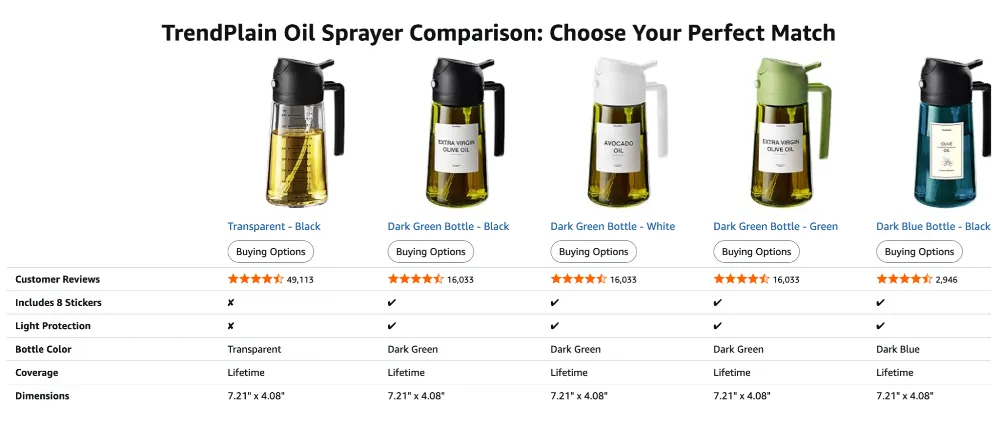
The assistant can compare multiple products side by side. A simple chart of your own versions shows clearly how they differ (AI News). |
|
Reviews and Q&A |
Answer questions, keep claims accurate |
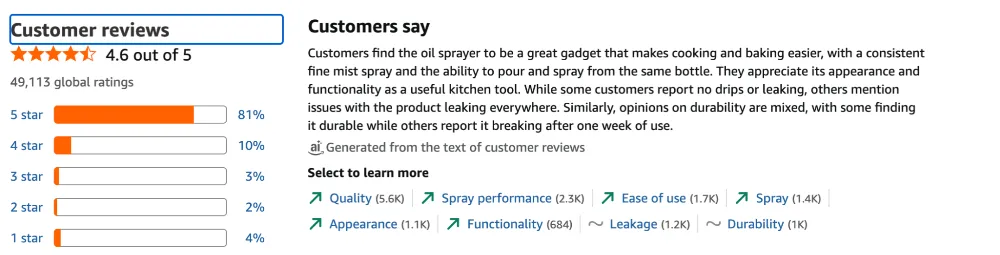
Reviews and Q&As work as sources. They show how the product works in real life, so your copy should match what buyers say (Amazon). |
Product Titles
Lead with the product type, then the attributes shoppers filter by, then a few differentiators. “Slim Insulated Water Bottles for Travel 32oz with Clip, Double Wall Vacuum Stainless Steel Water Bottle Keeps Drinks Cold 24 Hrs/Hot 12 Hrs, 100% Leak Proof, BPA Free (Black)” beats a keyword list.
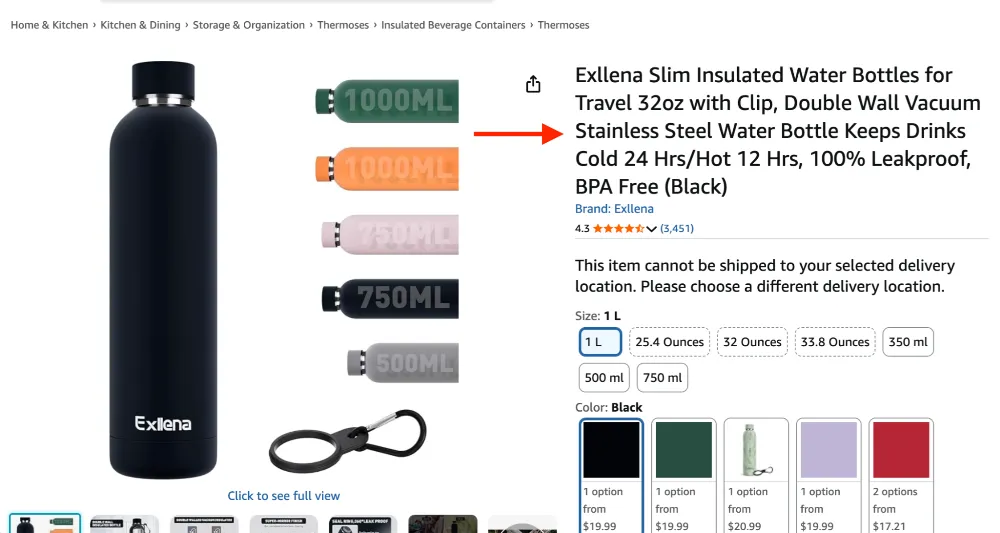
Amazon's research in the field of artificial intelligence links products to features, target audiences, and locations, so a clear name enables the system to find a match.
Bullet Points
Treat each bullet as the answer to your audience question: who it’s for, where it’s used, what it works with, and what it doesn’t do.
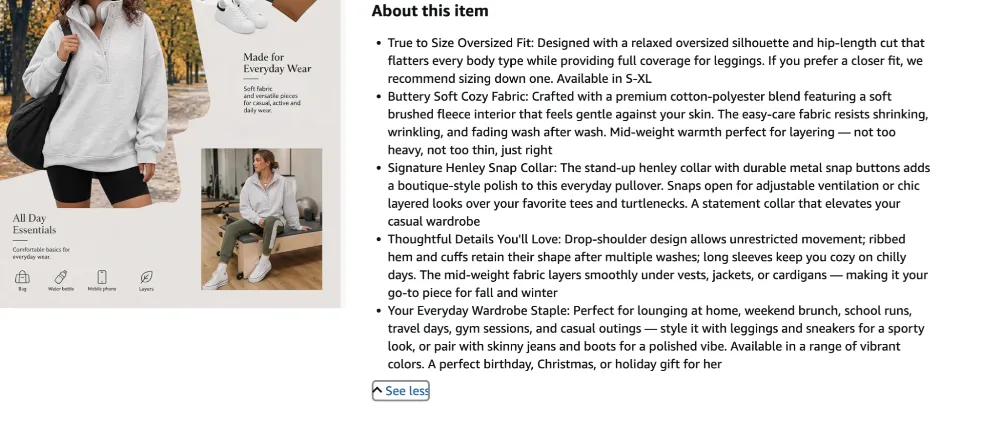
Stating limitations helps the assistant avoid recommending your product for the wrong need.
Product Descriptions
Use the description for context the bullets can’t carry, such as the ideal buyer and the situations where the product fits.
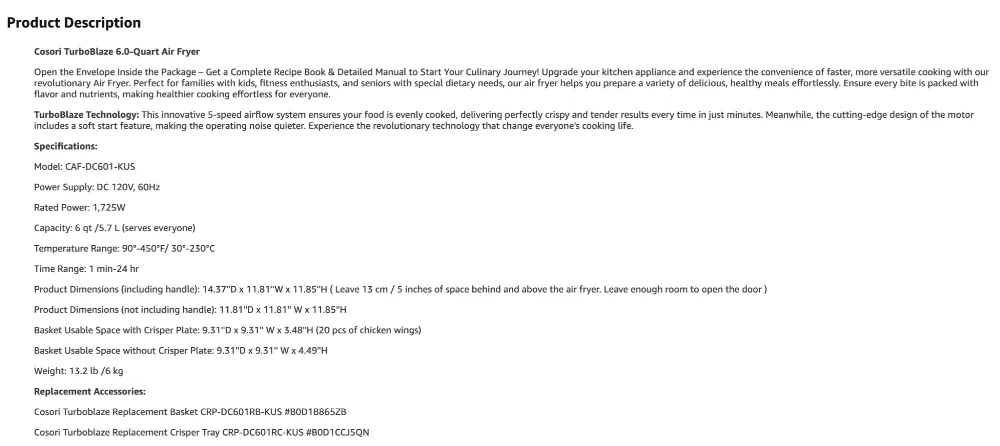
Amazon’s COSMO research shows it models these human contexts. Write in plain sentences, as you would explain the product to a customer.
Product Attributes and Backend Data
Fill in all the relevant fields: dimensions, material, compatibility, intended use, and certifications. An assistant asked, “Is this slicer a hand-held model?” will only be able to answer “yes” if this information is provided.
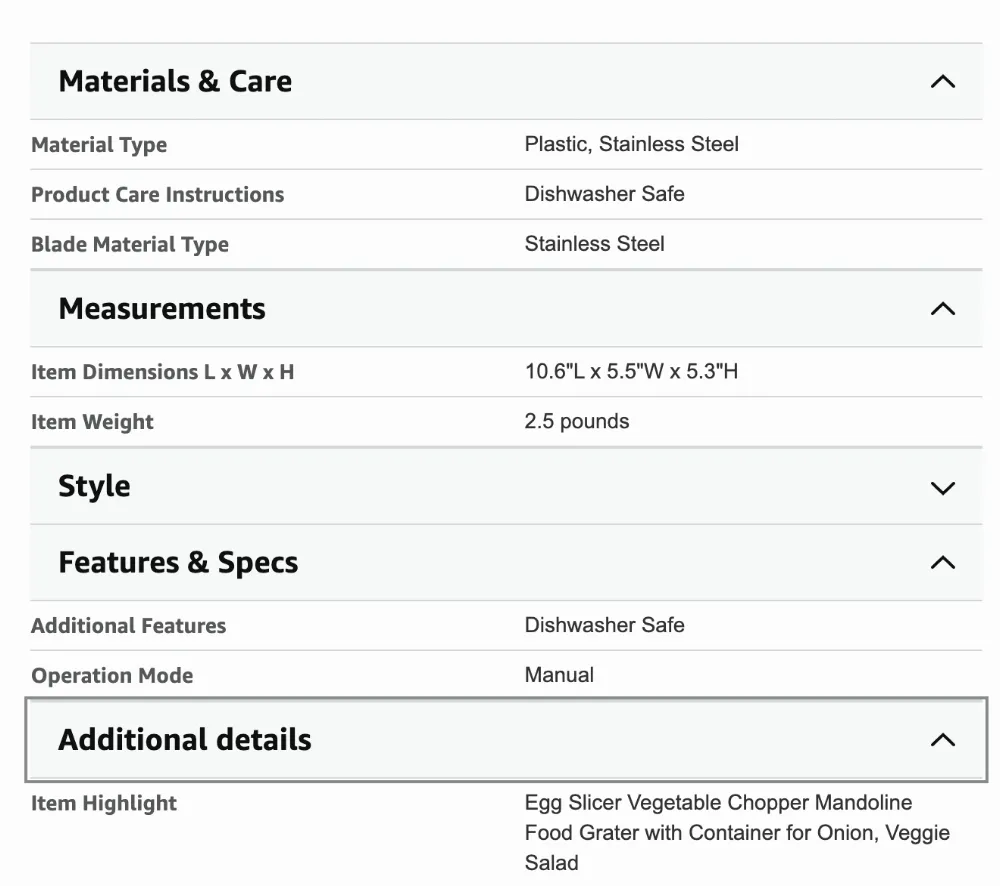
Amazon’s catalog data is part of what the assistant draws on, so gaps are lost answers.
A+ Content
Comparison charts show how your products differ by feature and use case in a structured format. Alexa for Shopping can compare products side by side, so clear differences between your own variants help it recommend the right one.
Customer Reviews and Questions
Amazon considers reviews and community questions and answers as sources of information. That’s why you should answer any open questions in your listing and make sure your statements align with customer reviews. If reviews contradict the listing text, the assistant receives conflicting signals.
Traditional Amazon SEO vs. AI Shopping Optimization
The two overlap. The same complete, accurate listing serves both.
|
Traditional Amazon SEO |
AI shopping optimization |
|
|
Goal |
Rank for search terms |
Be recommended for a need |
|
Language |
Keyword placement |
Natural, descriptive answers |
|
Data |
Title, bullets, backend terms |
Plus attributes, A+ content, reviews, Q&A |
|
Unit of success |
Keyword position |
Question coverage |
|
Weakness |
Stuffed copy |
Missing or inconsistent facts |
Are you selling on Amazon? Here are answers to some of your questions:
How Can Sellers Check Whether Their Listings Are AI-Ready?
Open the assistant on your own product page and ask it the questions shoppers ask. Any wrong or missing answer shows a gap to fix. Also, run through this checklist:
-
Are the main use cases clearly stated?
-
Are all the important product features listed?
-
Does the description answer common customer questions?
-
Are compatibility and limitations clearly described?
-
Does the wording sound natural, rather than being stuffed with keywords?
-
Is the product information presented consistently throughout the description?
Want your Amazon listings ready for AI shopping? Netpeak US, a full-cycle digital marketing agency, can audit your listings and build a plan. See also our guide to promoting products on Amazon.
FAQ
What is an AI shopping assistant on Amazon?
Does Amazon SEO still matter for AI shopping assistants?
Can AI shopping assistants recommend products based on listing content?
How often should sellers update Amazon listings for AI search?

 0
0
 0
0
 0
0
 0
0
Related Articles
How Does Amazon Feed Rufus Data Your Listing Never Shows (And You Didn’t Even Know It)?
Amazon feeds Rufus with data your listing never shows by asking buyers structured questions after checkout. A toy buyer now gets asked the child’s age and whether the toy suited the child.
What Vibe Coding Means for Business: No Coding Skills, One Weekend, One SaaS
Vibecoding is changing the rules for front-end development and opening up new opportunities for businesses, but there are some nuances to consider.
Which Products Went Viral on Amazon in the Last 12 Months?
Amazon trending products from October 2025 to October 2026 are the AquaSonic Electric Pink Vibe toothbrush, Ninja SLUSHi frozen drink maker, Kodak PIXPRO FZ55 digital camera, ZELUS weighted vest, and NeeDoh squeeze toys.